 (ARM)
(ARM)
Ashampoo® Taskbar Customizer
Make your taskbar simply invisible
for you!
| 5 star |
|
606 |
(61.2%)
|
| 4 star |
|
153 |
(15.4%)
|
| 3 star |
|
100 |
(10.1%)
|
| 2 star |
|
38 |
(3.8%)
|
| 1 star |
|
94 |
(9.5%)
|
Only customers who have purchased or registered a specific product can rate that product.
This way you can be certain that all opinions are genuine and verified.

Ashampoo Taskbar Customizer adds color and opacity to your taskbar
The taskbar in Windows is indispensable–but does it have to be plain-colored? This can ruin the visual experience, especially with gorgeous desktop backgrounds and large displays. Ashampoo Taskbar Customizer returns control over taskbar color and opacity back to you–even to the point where the bar becomes completely invisible, if you like! Your settings only affect the taskbar. Open programs and icons are unaffected and remain fully usable!
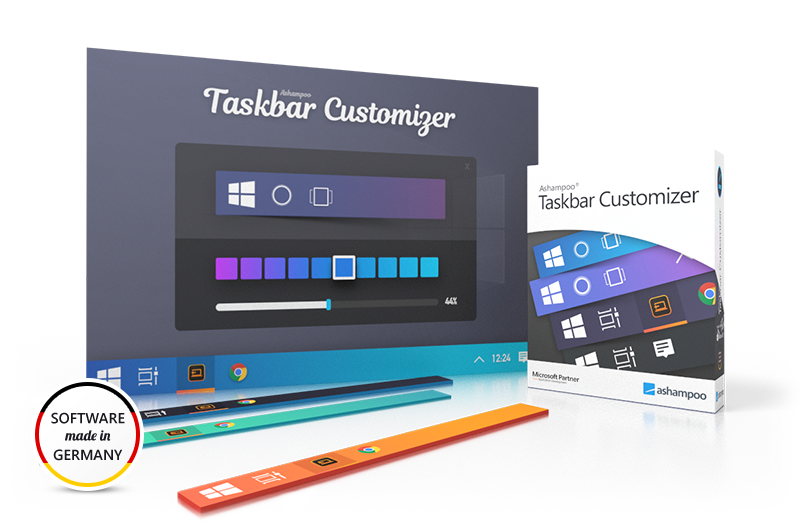
Ashampoo Taskbar Customizer alters color and opacity of your taskbar. With a single click, you can make it semi-translucent or apply any color you like.
- Make the taskbar invisible
- Customizable opacity
- Freely selectable taskbar color
- Optional auto-run with Windows
What customers think about Taskbar Customizer
Only customers who have purchased or registered a specific product can rate that product.
This way you can be certain that all opinions are genuine and verified.
-
LuutaClose but not perfect
The interface is very minimal. I kept clicking on the program shortcut but nothing seemed to happen. Then I checked the taskbar and saw an icon for it. Nothing seemed to happen clicking it, but right-clicking revealed a very minimal menu. Set or reset to default, use transparent, or change the colour. Changing the colour to fuschia gave it an attractive purple colour, which I'm keeping, But the translucent control didn't work, as I was also hoping to make it see through. I suppose we can't have everything.
It insists on running at startup. I'm going to try turning this off to see if the changes are made when Windows starts, or whether they're stored in the registry. If the hit on the system is too large at startup, however, I'll uninstall it, so I'm hoping the setting is stored in the registry
Helpful?
More top products from Ashampoo: No PC should be without them!



The ultimate fix for malware infections, hard disk defects and Windows crashes

Eliminate unwanted programs thoroughly and without compromise