



Ashampoo® Office 27 new!
The upgrade for more productive work with Write, Calculate, and Presentations
for free now!
| 5 stars |
|
27 |
(65.9%)
|
| 4 stars |
|
11 |
(26.8%)
|
| 3 stars |
|
2 |
(4.9%)
|
| 2 stars |
|
1 |
(2.4%)
|
| 1 star |
|
0 |
(0.0%)
|
Only customers who have purchased or registered a specific product can rate that product.
This way you can be certain that all opinions are genuine and verified.

Create documents, spreadsheets and presentations with great ease–and excellent compatibility!
Ashampoo Office 27 provides everything you need for your daily work with documents, spreadsheets, and presentations. This powerful office suite combines a familiar user experience with extensive compatibility with Microsoft Office and a distinctly European design philosophy. Your documents can be stored locally on your PC and edited entirely offline, without any mandatory cloud usage.
Use it on up to 5 PCs in your household
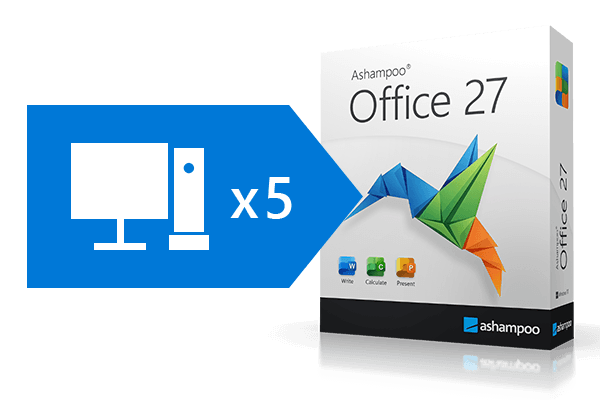
If you use Ashampoo Office at home, you can run it on up to 5 PCs! A single license is enough to provide your entire family with a powerful office suite! If you use it commercially though, it's one license per installation.

Excellent word processing: Ashampoo Write
Our Microsoft Word alternative offers a wealth of new options: Compare two documents side by side with synchronous scrolling, select multiple non-contiguous text ranges with the Ctrl key, and benefit from enhanced document change tracking! Create documents with embedded fonts that ensure your readers get the full experience even they don't have them installed! The new Book layout displays the first page of a document on the right in two-page view, table cells are now easily rotatable, and list numbering now supports right-alignment. Dummy texts can be created instantly and paragraph and character styles are now easily filterable. The best-in-class Word alternative has just gotten even better so what are you waiting for?

Write is the modern Microsoft Word alternative that lets you create and edit documents of any size, from greeting cards, business letters and brochures to your entire thesis. With miniature page previews and a clickable table of contents, you'll never lose track of your documents! The unique object mode allows you to freely place graphics, drawings and texts in your document, while the real-time word counter ensures you'll hit your target document length to a T. For experts, we've included SQLite and dBase support as well as bulk printing for XLSX files. Microsoft Word-compatible footnotes and endnotes within the same document enable high-level professional working. And because Write reads and writes DOCX natively, your documents are always compatible with all versions of Microsoft Word.
An office suite needs to handle spreadsheets and text reliably, be compatible with the market leader, and work without cloud dependency or forced subscriptions. Basically, I want an office suite like we used to have—just for the modern world. That narrows the field quickly, which is why I chose our solution.

Excellent spreadsheet processing: Ashampoo Calculate
Creating complex calculations and charts in spreadsheets can be a hassle: Ashampoo Office 9's Calculate makes it fun and engaging. From simple timetables to complex corporate financial documentation, Calculate is a drop-in Excel replacement with all the features and none of the inconsistencies. It features instant syntax highlighting and formula validation to help you spot errors in seconds. With over 350 calculations, easy table handling and support for giant datasheets with millions of entries, Calculate is ideal for any spreadsheet task. Pro-level features, like pivot tables, will satisfy even the most advanced of users. And printouts of finished spreadsheets are exceptionally easy to prepare, thanks to the new page break preview. Calculate uses the XLSX file format, the same format used by Microsoft Excel!
Calculate is the perfect replacement for Excel! Naturally, our spreadsheet application is greatly compatible with all Excel documents. That means no learning curve, no conversion, even for the latest file formats. Version 9 can import and export SQLite databases and offers more flexible handling of CSV files. Smart auto-filters help you sift through data by color and chart titles and labels can now be auto-generated based on cell data, just like texts in AutoShapes. Recalculations are a piece of cake with the Formula ribbon tab, and neither is sorting through custom lists in pivot tables! Make the switch to Calculate and work with all popular formats today. You won't regret it!

Stunning presentations: Ashampoo Present
With easy handling and intuitive UI design, Present is the go-to replacement for PowerPoint. Version 9 features all-purpose dynamic slide transitions that are greatly compatible with PowerPoint! There is now an element for rotating table cells on the Table ribbon and fullscreen mode is more versatile thanks to togglable rulers. Create stunning and informative presentations without effort and enjoy great compatibility with MS PowerPoint!
Engaging presentations: Ashampoo Present
Present is the powerful go-to replacement for PowerPoint that creates convincing presentations–even self-contained documents that play on any PC without additional software! With breath-taking animations, redesigned slide transitions, and a mature master slide system, Present can handle anything you throw at it! Create any number of master layouts and add placeholders with just a few clicks. This not only ensures a uniform and professional look but also enables great compatibility with PowerPoint. Numerous ready-made design templates that adapt to your needs at the click of a button will make your life so much easier. Sprinkle in graphics, charts, sounds, videos, and animations to make your presentations special and magical. The Media ribbon tab makes managing multiple objects a breeze. And since Present uses PPTX, your projects will instantly work with Microsoft PowerPoint.

Adjustable user interface: classic look or ribbon style
With Ashampoo Office, you have a choice: traditional interface or modern ribbons? We don't want to force anything on you so we've kept the classic menu-based interface in. The modern ribbon interface is the way to go when speed and visual clarity are of the essence. It not only groups functions logically but provides great visual clues and instant feature access. By the way: You can still access all features through menus in ribbon mode, making the transition from menu to ribbon-based interface particularly easy. Whether you're a traditionalist or advocate of the modern approach, Ashampoo Office has got you covered!

Seamlessly switch between MS Office and Ashampoo Office!
Skip bothersome imports and exports: Ashampoo Office uses Microsoft's DOCX, XLSX, and PPTX formats as standard! Even mail merges are now supported for XLSX. Switch seamlessly between Ashampoo Office and Microsoft Office and get the best of both worlds, even with Office 2019 or Office 365. Your documents are now fully interchangeable and editable by you or others without loss of content or formatting!
What customers think about Office 27
Only customers who have purchased or registered a specific product can rate that product.
This way you can be certain that all opinions are genuine and verified.
-
Jerzy FedorowiczGreat software at a fantastic price Świetne oprogramowanie w rewelacyjnej cenie
Excellent software for a wide range of office tasks. The whole package is absolutely brilliant, and the rating would be higher if an email client were added in the future. Then we would truly have everything needed in an office (whether small or large) for day-to-day work. Hence the rating of ‘only’ 4.9
Świetne oprogramowanie do różnorakiej pracy biurowej. Całość wręcz rewelacyjna, a ocena byłaby wyższa gdyby z czasem dodano oprogramowanie poczty elektronicznej. Wtedy naprawdę mielibyśmy wszystko to, co niezbędne w biurze (małym i dużym) do codziennej pracy. Stąd ocena "tylko" 4,9
This review has been automatically translated.Helpful? -
Wolf Reisererthe entire range alles paletti
Good
gut
This review has been automatically translated.Helpful? -
Norbert OeserA very good alternative to US products Sehr gute Alternative zu US-Produkten
Whilst searching for alternatives to the usual US products, I first came across the Writer, Calculate and Present software suite, and then the Office suite at what I consider to be an unbeatable price, including future updates.
For standard use, the three programmes differ little, if at all, from products by ‘larger’ providers; the only difference is that the price is significantly lower. As I have moved the cloud service previously included in a US provider’s package to a private NAS, and have also switched my email client to a European provider, this represents a significant step towards independence from the now unpredictable dependence on another provider.
The same applies to the PDF Pro and WIN-Optimizer applications (in this case, I’m glad that the annual haggling over the pricing of products (… utilities) is now a thing of the past).
Auf der Suche nach Alternativen zu den üblichen US-Produkten bin ich auf zunächst auf das Programmpaket Writer, Calculate und Present gestoßen, danach auf das Office-Paket zu einem aus meiner Sicht unschlagbaren Preis inc. zukünftiger Updates.
Die drei Programme unterscheiden sich für den Standard-Gebrauch kaum bis gar nicht von Produkten "größerer" Anbieter, lediglich der Preist ist deutlich geringer. Da ich die bisher im Paket eines US-Anbieters enthaltene Cloud auf eine private NAS verlagert habe, und den E-Mail-Client ebenfalls auf einen kontinentalen Anbieter verlagert habe, ein deutlicher Schritt zur Unabhängigkeit einer nicht mehr kalkulierbaren Abhängigkeit eines anderen Anbieters.
Dasselbe gilt für die Anwendung PDF pro, WIN-Optimizer (hier bin ich froh, dass sich das jährliche Geschachere bei der Preisbildung von Produkten (....-Utilities) erledigt hat.)
This review has been automatically translated.Helpful? -
Manfred FischerAshampoo® Office 27 Ashampoo® Office 27
Ashampoo® Office 27 offers an alternative to the market-leading Microsoft solutions. The Office suite is characterised by a streamlined design and a user-friendly interface that appeals to both beginners and experienced users. The programme includes word processing, spreadsheets and presentation creation.
Ashampoo® Office 27 bietet eine Alternative zu den marktführenden Microsoft-Lösungen. Die Office Suite zeichnet sich durch ein schlankes Design und eine benutzerfreundliche Oberfläche aus, die sowohl Einsteiger als auch erfahrene Anwender anspricht. Das Programm enthält Textverarbeitung, Tabellenkalkulation und Präsentationserstellung.
This review has been automatically translated.Helpful? -
Werner HahnSay goodbye to Exzell without any regrets! Ohne Reue auf Exzell verzichten!
Comparable to Exzell at a very good price.
Vergleichbar mit Exzell zum sehr guten Preis.
This review has been automatically translated.Helpful?

More top products from Ashampoo: No PC should be without them!