
 (ARM)
(ARM)
 (ARM)
(ARM)
Ashampoo® Photo Collage new!
Your best photos belong together
for free now!

Create personalized photo collages with flexible layouts, your own text, and the right size
The ocean view, dinner together, the photo where everyone is laughing: Some memories simply won’t fit into a single picture. With Ashampoo Photo Collage, you bring your photos together in a personal collage. Choose the size, customize the photo grid, and add colors, spacing, and your own text. Turn your photos into a little vacation story, a look back at a family celebration, or a collection of your favorite pictures.
- Use preset sizes for social media, A5 and A4 paper, and photo frames, or enter custom dimensions
- Add, split, or remove photo cells and move dividing lines
- Hide photos you’ve already used in the photo pool
- Drag and drop photos to place and swap them
- Smoothly zoom and reposition photos within their cells
- Adjust spacing, borders, and colors, and round photo corners
- Position text freely and choose the font, size, color, and alignment
- Adjust text shadows in real time
- Automatically save and restore your work
- Save collage projects and continue editing later
- Create custom backgrounds and edit their patterns and colors
The right format for your ideas
Choose from preset sizes for social media stories, feed posts, A5 and A4 paper, and common photo frames, or enter your own dimensions. Then customize the photo grid: Add, split, or remove photo cells and move the dividing lines. Give your family photo more space while smaller shots add to the story. You can adjust the grid independently of your chosen size.
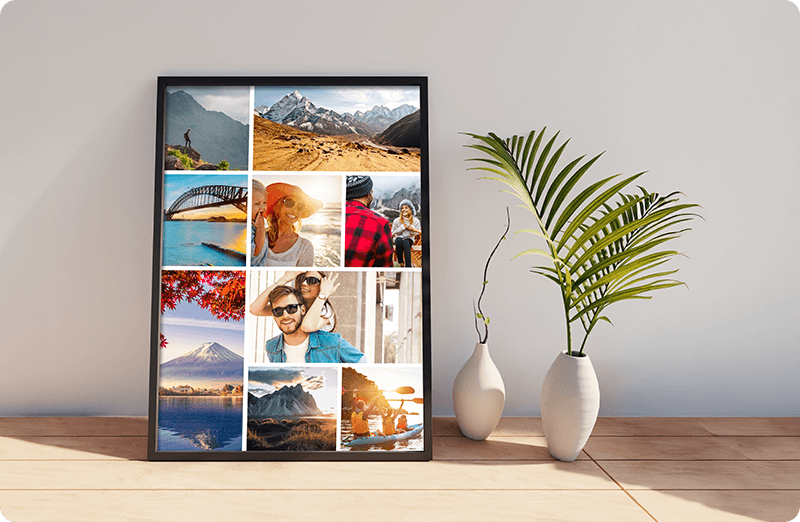
Add photos and find the right crop
Import your photos into the photo pool and drag and drop them into the desired cells. You can swap two photos already placed in the collage just as easily. Then zoom and reposition each photo directly within its cell until the crop is right. For easier browsing, you can hide photos you’ve already used in the photo pool—handy when you’re putting together a collage from a large selection of pictures.
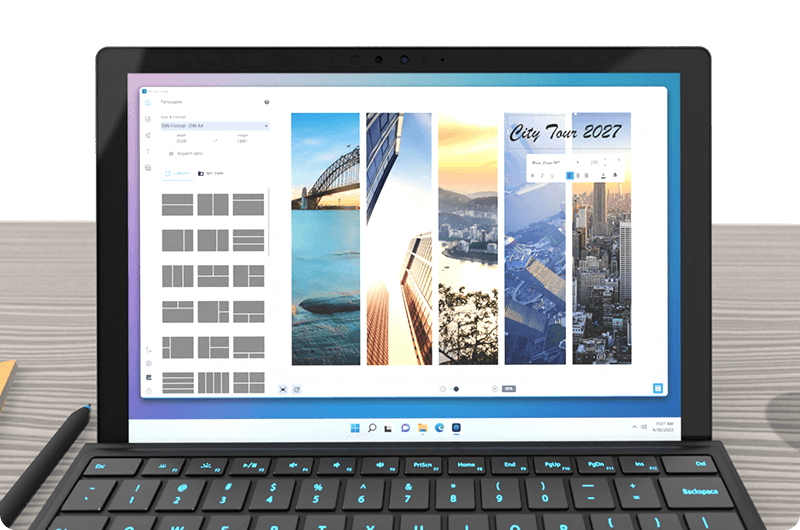
Colors, spacing, and personal words
Fine-tune the spacing between photos and the outer border, choose a background color, and round the corners of the photo cells to your liking. A title, a date, or a personal message adds what the pictures alone can’t tell. Position your text boxes freely over the collage and choose the font, size, color, and alignment. Customize text shadows by adjusting blur, distance, angle, color, and opacity. See the results instantly as you work.
Start today and keep creating later
Sometimes you’re still missing the right photo or an inspired idea for a title. Save your collage as a complete project and continue working on it later. Your photo grid, images, crops, styling, and text are all preserved. Ashampoo Photo Collage also automatically saves your current work in the background, so you can resume if you accidentally close or reload the program.