 (ARM)
 (ARM)
Ashampoo® PDF Pro 27
More power, speed and flexibility!

The complete PDF package–fast, efficient, and intuitive
Ashampoo PDF Pro is the complete solution to manage and edit your PDF documents. The program has everything you need to create, convert, edit, merge and protect your PDFs. Create perfectly sized documents that are readable on any device and use encryption to protect your property when needed. Your PDFs are now as easily editable as Word documents!
- Full 64-bit power for maximum performance
- Edit protected PDFs with ease
- Flexible workflow for every need
Proven features, noticeably improved!
You already know Ashampoo PDF Pro as a powerful tool for working with PDF files. With Ashampoo PDF Pro 27, your daily tasks become even easier! We've refined numerous details, improved compatibility, and added several practical new features. Whether you're scanning documents, using text recognition, or working directly in Windows File Explorer, the new version simplifies many tasks and ensures smoother workflows. Improved rendering of PDF content and fresh icons for a more modern look complete the package.
- Scan multiple pages in a single operation using WIA drivers
- Optimized OCR processing without significantly increasing file sizes
- Use PDF previews directly in Windows File Explorer again
- Improved compatibility with PDF files and printer drivers
- Enhanced rendering of text, color gradients, and transparency
- New icons for a refreshed interface
- Conveniently switch between regular and full-screen mode with F11
More power for large documents
Faster launch, smoother handling, secure savesWith full 64-bit support, Ashampoo PDF Pro can access all available system memory to handle even the largest PDF files with ease. Now, you can work fluidly without delays or stutters, even with complex or data-heavy documents. Whether it’s technical manuals, research papers, or full catalogs–Ashampoo PDF Pro handles them all with impressive speed and stability.

Open PDFs your way
Edit documents the way you like to workYou decide how Ashampoo PDF Pro opens your files. Through the options menu, you can decide if new PDFs should open in tabs, separate windows, or within the same workspace. This ensures everything remains organized and optimized according to your workflow preferences. Whether you favor focused, single-document editing or juggling multiple projects simultaneously, Ashampoo PDF Pro seamlessly adapts to your style.

Convenience in every detail
Work smarter and save clicks with intelligent featuresAshampoo PDF Pro anticipates your needs and delivers noticeable convenience in daily use. When you open a PDF from Windows Explorer, it now appears as a new tab within your existing window. The new Book Layout view displays two pages side by side, just like a real book, and Page-by-Page Scrolling lets you move precisely one page per mouse wheel turn. Drag and drop two PDF files into the program to start an instant document comparison and see differences at a glance. When adding text, Ashampoo PDF Pro remembers your last used font and size, ensuring a consistent look without manual adjustment.
I work with PDFs constantly, both professionally and privately, and there’s hardly a format that’s more universally useful. Since I prefer focusing on a single application, having an all-in-one solution was important to me. That’s why I was especially happy when enhanced our portfolio with our own PDF solution.

Don't copy, convert!
Post-edit your documents in MS Word or other formats
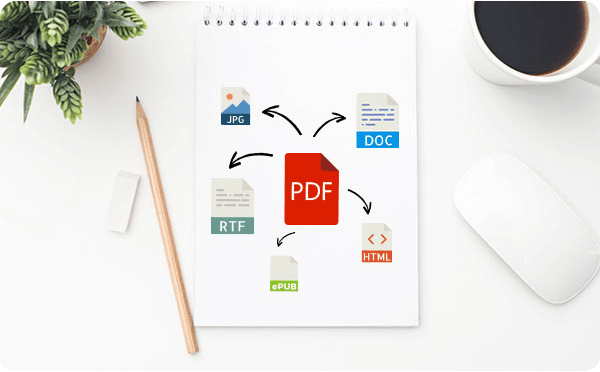
Ashampoo PDF converts your PDFs into text documents editable with MS Office or Ashampoo Office. HTML, EPUB, JPG or RTF are also supported as output formats. Ashampoo PDF Pro furthermore supports optical character recognition to convert your scans into editable and searchable documents.
PDF creation made easy
Built-in PDF printer driver for maximum flexibility
Ashampoo PDF can create high-quality PDFs from any Windows application. Simply click "Print" and select the included Ashampoo PDF virtual printer. If size matters, Ashampoo PDF can automatically downsample images, e.g. to facilitate online publishing.

Create trustworthy PDFs with digital signatures
Sign your documents for authenticity and added trust!
Digital signatures are the equivalent of an ink signature on a paper document, but much more secure. They signal authenticity and prevent secret tampering. Ashampoo PDF Pro makes signing your documents super easy and helps you build trust with your recipients.