


Ashampoo® Backup Pro 27
Best-in-class backups–modern, fast, reliable
for free now!
| 5 stars |
|
876 |
(65.2%)
|
| 4 stars |
|
271 |
(20.2%)
|
| 3 stars |
|
63 |
(4.7%)
|
| 2 stars |
|
40 |
(3.0%)
|
| 1 star |
|
94 |
(7.0%)
|
Only customers who have purchased or registered a specific product can rate that product.
This way you can be certain that all opinions are genuine and verified.
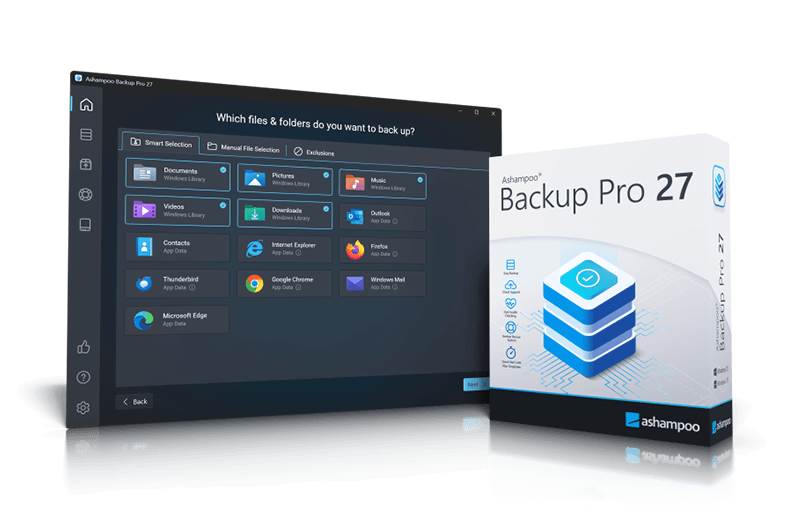
Your data. Your backups. Your Security.
Ashampoo Backup Pro 27 takes the fear out of viruses, ransomware, and hardware errors! Experience an easy to use well-designed but powerful backup solution. The new Ashampoo Backup Pro offers you all possible storage options: Back up single files or entire partitions to local drives or online storage providers. Backup software couldn't get any easier. Just plug in a storage device and you're good to go! In addition, the program is light on resources, gets out of your way and does all the heavy lifting in the background. Restoring your backups is super easy! Ashampoo Backup Pro even comes with a bootable rescue system to restore your system in the event of major system failure!
Helps with:
- Malware infections
- Hard disk failure
- Accidentally deleted files
- Operating system issues
- Troublesome updates
- Device theft
Faster backups–local or cloud
Improved performance no matter the storage location
Ashampoo Backup Pro stands for maximum security–and now also speed. Cloud backups are up to 30% faster than before, and file-based backups also benefit from noticeably improved performance.
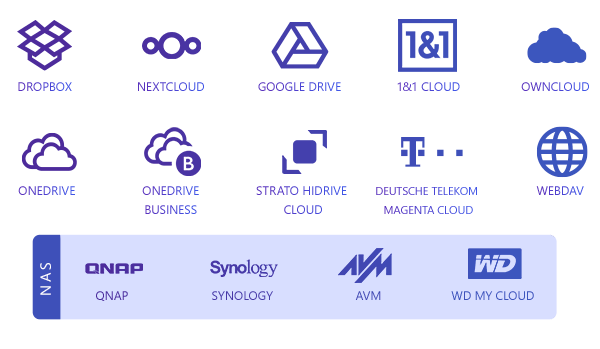
Instant access to all popular providers and storage methods
Cloud storage has long been a secure way of backing up your data. As cloud providers keep advancing their services and storage methods, so do we: Ashampoo Backup Pro has been fully updated to support the latest and most secure online data transfer methods! Back up your data to Dropbox, OneDrive, Google Drive, OneDrive Business / Office 365, Owncloud, Telekom MagentaCLOUD, Strato, 1&1 and many others.
Real-time check & repair
Scan and unlock multiple drives effortlessly
The new repair tool allows you to perform live checks on your drives with just one click, eliminating the need for a wizard. Any errors detected are logged and can be fixed immediately. Multiple drives are processed automatically in sequence. The enhanced BitLocker support now includes all unlock methods (such as Smartcard, TPM, etc.) and is available directly within the drive check.
Backups seem boring—until you desperately need them. I’m not one to come up with complex backup strategies; I prefer “set it and forget it.” And even though I’ve never had to restore my system, it’s good to know I could without losing any data.

Plug & Play backups
Hook it up and you're good to go!
With plug & play, backing up external devices is a joy: Once set up, Ashampoo Backup Pro will run your plans automatically as soon as the affected drives are connected to your PC. This means, you can instantly back up the files of your flash drive simply by plugging it in–no need to run the program, no additional clicks! With Ashampoo Backup Pro makes backing up your files a smooth, seamless, fun experience!

Robust and reliable when you need it most
A completely new rescue system for emergencies
When disaster strikes, Ashampoo Backup Pro is ready. The new rescue system interface guides you step by step through data recovery and provides helpful assistance. Whether you need to restore individual files, full partitions, or an entire system, the new rescue environment can handle it. With improved driver management, recoveries are now more reliable than ever.
Bitlocker support
Unlock and use BitLocker-encrypted drives
Windows encrypts drives via BitLocker to protect them against unauthorized access. This makes it harder, sometimes even impossible, for backup software to access your files. Ashampoo Backup Pro not only sees your BitLocker-encrypted drives but can also access them to store your file archives. Naturally, the drives are not only accessible during normal operation but also through the rescue system!
Off to a great start with Ashampoo Backup Pro
1-Click access to all vital sections!
Our backup solution works for everyone, from beginner to data security specialist. That's why we've made our backup plans as flexible and versatile as possible! The new presets save your data in just a few clicks. Would you like to back up your documents only or your entire system? Do you want to save your emails, contacts or browser data? Or do you prefer a more refined approach with custom plans specifically tailored to your needs? Even highly sophisticated backup plans only take a few clicks. Simple or sophisticated, creating backup plans is a breeze with the new Ashampoo Backup Pro!

Your lifesaver when all else fails
Rescue system to recover corrupted operating systems
Once your PC becomes infected, e.g. through malware, or your hard disks crash or malfunction, your operating system is done for–with reinstalling Windows plus all of your programs being the only path to go forward, unless you have a clean backup! Ashampoo® Backup Pro will save hours of time and effort. The built-in rescue system will boot your PC either from DVD or flash drive and help you restore your system so that your PC works normally again. It's the end of data loss!
Superior malware protection
No chance for ransomware, viruses, and worms
Your PC is under constant threat from all kinds of malware. A single wrong click, a security hole in your system, or an infected email is all it takes to trigger disaster! Antivirus programs can never detect and neutralize all malware. Experts believe 300,000 new threats are created and distributed every day. Ransomware that targets your wallet in return for access to your files is particularly prevalent. Do you really want to negotiate with online criminals? Backups are the only solution that offers 100% security. Once your system becomes infected, simply restore your backup, and you're in the clear again!
Professional technology for everyone
Use the techniques of professional system administrators
The security strategies incorporated into this backup solution was designed with business use in mind and comply with the strict standards required in professional environments. Because only the highest standards are good enough to protect your files! Professional administrators appreciate the solid backup engine, constant file verification, and strong encryption, which is why Ashampoo® Backup Pro is also used by major companies. Get industry-grade file protection for your PC!
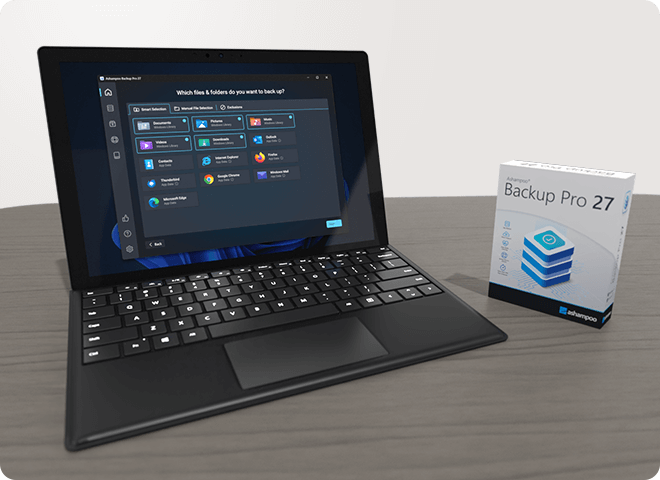
Simply restore your system to its prior state when it was working fine!
Updates are essential for every PC. Unfortunately, updates can introduce security issues or malfunctions that can cause data loss. At worst, Windows updates can prevent your system from working at all or starting up. These are the painful "but everything was working fine yesterday" moments. Ashampoo® Backup Pro takes your system back to that moment when everything was working perfectly! Face future Windows or security software updates calmly in the knowledge that nothing can harm your PC anymore!
Space-efficient file storage where and how you want it
External hard drive, USB stick, NAS, or cloud: Ashampoo® Backup offers flexible storage options!
Ashampoo® Backup Pro saves your backups to any hard disk, USB stick, network drive or cloud service. The advanced disk image feature uses powerful "infinite reverse incremental" technology that takes up little space but offers maximum security. The program supports four different compression methods. And best of all: Backups created with Ashampoo® Backup Pro require up to 50% less space than other backup solutions!
All-round protection with hard disk checkups
The backup solution that even checks output locations
A backup is only as safe as the hard disk its stored on! That's why Ashampoo® Backup Pro monitors your hard disk's SMART parameters during backups to detect future issues before they happen! This allows you time to react and avoid data loss. The program also features an additional drive / partition check that analyzes and repairs individual sectors. Whether internal or external, Ashampoo® Backup Pro takes extra good care of your hard disks!

No strain on your system
Ashampoo® Backup Pro strategic benefits
Our solution is not only fast but also smart. Most backup solutions will stop your work as soon as backups are created. Once underway your PC is practically paralyzed with slow, if any, response times. With Ashampoo® Backup Pro, this is a non-issue! You won't even notice when backups are created but your archives will still always be up-to-date. Backup Pro does all the heavy lifting in the background and analyzes your system load, only becoming active when enough resources are available without getting in your way. So you can continue to work while Backup Pro works its magic.
Full clarity with Backup Viewer
View archive contents without opening them
While backups are primarily meant for storing and restoring data, sometimes you just want to peek into them. Ashampoo® Backup Pro's Backup Viewer let's you do just that. Access archived files directly without restoring them first. The files are opened in a secure space to avoid modifying or damaging the original archives!
What customers think about Backup Pro 27
Only customers who have purchased or registered a specific product can rate that product.
This way you can be certain that all opinions are genuine and verified.
-
Peter BüttnerBackup Pro 27 Backup Pro 27
With Backup Pro 27, you no longer have to worry if something goes wrong with your computer. With Backup Pro 27, you can quickly create an image of your entire hard drive and restore it; it also checks all hard drives to make sure they’re still error-free. That’s why I’m glad I have Backup Pro 27.
Mit Backup Pro 27 braucht man keine Angst mehr haben wenn am Computer etwas schief geht, Mit Backup Pro 27 kann man schnell ein Image der ganzen Festplatte machen und wieder herstellen, auch alle Festplatten werden überprüft ob sie noch fehlerfrei sind. Desshalb bin ich froh dass ich Backup Pro 27 habe.
This review has been automatically translated.Helpful? -
Hans-Dieter BraunischBackup Pro 27 Backup Pro 27
Easy to install and works great.
I backed up a hard drive to an external SSD,
and created a USB recovery system.
I booted my PC via USB and used the backup
to restore my PC.
Leicht zu installieren und funktioniert bestens.
Habe eine Festplatte auf eine externe SSD gesichert,
und ein USB Rettungssystem erstellt.
Über USB meinen PC gestartet und mit der Datensicherung
meinen PC wieder hergestellt.
This review has been automatically translated.Helpful? -
Colin GrahamRescue by Backup Pro 27
After battling for weeks to get Windows 11 File History backup operational, the ease and simplicity of setting up Backup Pro 27 was a welcome relief. So far, it is doing everything I seek with precision and reliability. I will continue to monitor its performance regularly, with high hopes that it meets my backup requirements.
Helpful? -
Marion GeroldEven I was able to install it Die Installation habe sogar ich geschafft
Up until now, my husband had always taken care of installing computer programs. Unfortunately, he has since passed away, and I’m left to deal with this problem on my own. Since I’ve realized that my data backup is no longer up to date, I ordered Backup Pro 27 from Ashampoo. Since PDF Pro 5 was also featured in the same ad, I bought both programs. This weekend, I sat down and downloaded both programs with a pounding heart. Contrary to my expectations, it worked right away. I’m absolutely thrilled with both programs. I still need to figure out exactly what I want from my data backup, but I’m no longer afraid of it. I still need to get used to the PDF program, but my first attempts were very successful. I’m thrilled.
Bisher hat mein Mann sich immer um die Installation von Computerprogrammen gekümmert. Nun ist er leider gestorben und ich stehe mit diesem Problem alleine da. Da ich nun festgestellt habe, dass meine Datensicherung nicht mehr aktuell ist habe ich bei Ashampoo das Backup Pro 27 bestellt. Da in der gleichen Werbung das PDF Pro 5 mitbeworben wurde, habe ich beide Programme gekauft. Dieses Wochenende habe ich mich hingesetzt und beide Programme mit klopfendem Herzen gedownloaded. Es hat, wider erwarten, auf anhieb funktioniert. Ich bin von beiden Programmen hellauf begeistert. Meine Wünsche an die Datensicherung muss ich noch erarbeiten. Jetzt habe ich aber keine Angst mehr davor. An das PDF Programm muss ich mich zwar erst gewöhnen, aber die ersten Versuche waren sehr erfolgreich. Ich bin begeistert.
This review has been automatically translated.Helpful? -
Marek ChojnackiEssential for data security Niezbędny dla bezpieczeństwa danych
Ashampoo Backup Pro 27—a program that keeps my data and system safe. Creating backups is a breeze.
Ashampoo Backup Pro 27 - program, dzięki któremu moje dane i system są zabezpieczone. Tworzenie kopii nie stwarza problemu.
This review has been automatically translated.Helpful?