
 (ARM)
(ARM)
(ARM)
(ARM)
Ashampoo® Burning Studio FREE
The free burning software to quickly burn CDs and DVDs.
for you!
| 5 stars |
|
3,879 |
(77.1%)
|
| 4 stars |
|
723 |
(14.4%)
|
| 3 stars |
|
224 |
(4.5%)
|
| 2 stars |
|
58 |
(1.2%)
|
| 1 star |
|
148 |
(2.9%)
|
Only customers who have purchased or registered a specific product can rate that product.
This way you can be certain that all opinions are genuine and verified.
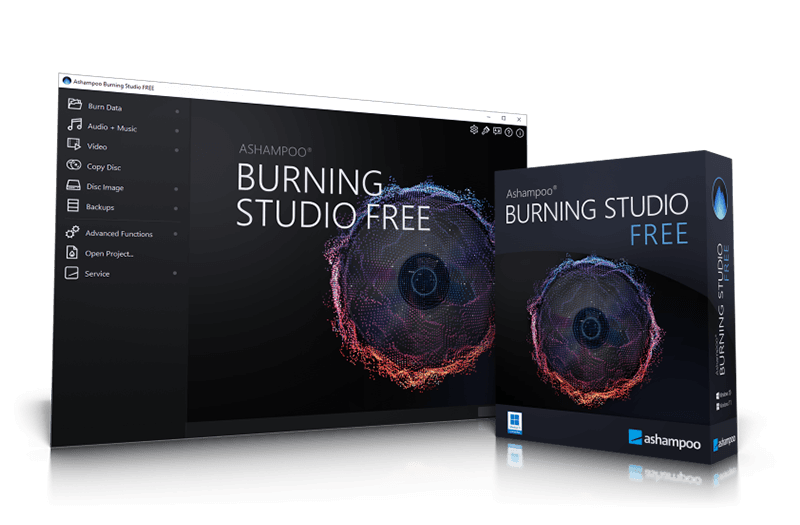
Our best CD burner
The tried-and-tested free and feature-rich disc burning software
Ashampoo Burning Studio FREE is your fast and convenient way to handle your disc burning needs: Burn data discs, create and burn backups, rip or create your own audio CDs or burn existing movies to Blu-ray. These are just a few of the many features of Ashampoo Burning Studio FREE! Program handling is easy and logical for beginners and advanced users alike.
Download Ashampoo Burning Studio FREE for free and use it forever!
Burning CDs Made Easy–Here's how:
Start the program and select the desired function (e.g., “Burn data to disc”)
Add files via drag & drop
Insert a blank CD, DVD, or Blu-ray and click “Burn”–done!
Burn data with ease
Free software to burn CD, DVD, and Blu-ray disc in no time
Naturally, burning data to CD, DVD or Blu-ray discs is one of the strengths if this program. Existing discs, including rewritable media (RW), can be updated or deleted, if supported. Get the freeware solution that does it all, and with any hardware!
Free audio burning software
Rip audio discs with track detection and create your own music CDs in various formats
Audiophiles will find Burning Studio FREE quite useful to extract audio from CDs along with automatic disc and track recognition. Output formats include MP3, WMA and WAV in all possible levels of quality.
Fit more songs on your disc
Enjoy hours of music with MP3 and WMA audio discs
Apart from traditional audio CDs, MP3 and WMA are also supported for several hours of audio on a single disc. Built-in normalization ensures equal volume levels and the integrated player provides instant audio feedback to select the right tracks with ease.
When we developed Burning Studio FREE, it was important to us to provide a tool that clearly outperforms the burning routines built into Windows and handles all the classic tasks free of charge. And as long as burning still matters to users around the world, we’ll keep this software up to date, that's a promise!

Burn movies and disc copies
Burn movies in the highest quality or create copies with ease
With Ashampoo Burning Studio FREE, you can also burn HD and Full HD videos as long as the required files are available as a prepared folder. Creating video CDs (VCD) or super video CDs (SVCD) is also possible in no time. Naturally, the program also creates disc copies in just a few clicks.
Password-protected backups
Maximum safety for your burned files
Burning Studio also comes with powerful backup functionality. Burn or backup any file to internal or external storage media including USB flash drives. Thanks to refined compression technology, backups take up very little space and can be password-protected for additional security. And backups too large to fit on a single disc will simply be spread across multiple volumes. All you then need to restore your files, is Burning Studio FREE and the data discs.
Free ISO burner
Handle disc images like a pro
Handling ISO images is common place especially for professional users. Ashampoo Burning Studio FREE makes it easy to create or burn disc images. Apart from Ashampoo's own ASHDISC format, the program also supports ISO and CUE/BIN. Turn your CDs, DVDs or Blu-rays into images for easier handling.
Free shareware-quality disc burning application
More than 20 years of experience to bring you best-in-class burning results!
At Ashampoo, we don't consider free software second-class products. That's why we subject our free programs to the same rigorous testing as our paid products. It's also why Ashampoo Burning Studio FREE will always receive timely updates to keep up with the latest Windows and/or hardware developments. Want to know how to burn a disc? With ease! Benefit from over two decades of development experience burn you files, photos, movies, and music to disc with Ashampoo Burning Studio FREE!
Always up-to-date burning software
It doesn't matter which Windows, disc type, or disc recorder you use–just do it!
Naturally, Ashampoo Burning Studio FREE is fully Windows 11 (and 7, 8, 10) compatible and gets updated constantly. No matter which operating system, disc recorder, or recordable you use, this dependable burning software produces greats results. To achieve this, we've tested thousands of CDs, DVDs, and Blu-rays at Ashampoo so you'll never be disappointed!
Switch to Ashampoo Burning Studio 24 and get even more features
The great shareware with limitless possibilities
Get the best-in-class burning software for your disc recorder! The new Ashampoo Burning Studio 24 continues to evolve towards the perfect burning application. The new scratch protection allows you to create discs that remain readable in the event of surface damage! The history feature can instantly restore your most recent 20 projects–including all of your modifications. The powerful video editor lets you create home movies and custom audiobooks in no time. And how about a wealth of new templates, themes, and menus designs for your multimedia projects? You got it–in Ashampoo Burning Studio 24. Enjoy!
Ashampoo Burning Studio FREE supports the following media types and formats:
CD, DVD, and Blu-ray (CD-R, CD-RW, DVD±R, DVD±RW, BD-R, BD-RE)
Audio formats: MP3, WMA, WAV, OGG, FLAC
Disc images: ISO, CUE/BIN, ASHDISC
Video formats: Burn Video_TS folders for DVDs
Compatible with Windows 11, 10, 8, and 7 (32- and 64-bit)
Ashampoo® Burning Studio 26
What is Ashampoo Burning Studio FREE?
What types of burning tasks are supported?
Can I burn audio CDs with the program?
Are ISO files supported?
Are there limitations compared to the full version?
Is Ashampoo Burning Studio FREE suitable for beginners?
Can I erase rewritable discs (RW)?
Is it really free to use permanently?
Which disc formats are supported?
What customers think about Burning Studio FREE
Only customers who have purchased or registered a specific product can rate that product.
This way you can be certain that all opinions are genuine and verified.
-
Mike HammerTop-notch Spitze
It burns everything—and does so cleanly and quickly, too.
Brennt Alles und erst noch sauber und schnell.
This review has been automatically translated.Helpful? -
Michael RottBurning Studio Rate for FREE Burning Studio FREE bewerten
Simply great.
Einfach super.
This review has been automatically translated.Helpful? -
RICKGThis works great, but with some limited or missing features.
Works great for simple tasks.
Not sure what is missing as I own multiple copies of many
Yearly versions on this and other computers.
The BEST thing about this is there are no licensing problems
such as having Burning Studio 2025 AND Burning Studio 25
on THIS machine with only one saying it is licensed with very different (minor) version and build numbers
Helpful? -
Mieczysław SompolskiA good choice Dobry wybór
It works smoothly, and above all, the software support team is knowledgeable and helpful with any issues....
Działa sprawnie a nade wszystko serwis oprogramowania jest kompetentny i pomocny we wszystkich problemach....
This review has been automatically translated.Helpful? -
Lawrence HullGreat Program!
Easy to use!!!
Helpful?
More top products from Ashampoo: No PC should be without them!



Are you looking for a free MS Word alternative? We've got you covered!