
 (ARM)
(ARM)
(ARM)
(ARM)
Ashampoo® Folder Styler
Give Your Folders a Unique Look!
for you!
| 5 stars |
|
735 |
(63.9%)
|
| 4 stars |
|
218 |
(18.9%)
|
| 3 stars |
|
100 |
(8.7%)
|
| 2 stars |
|
24 |
(2.1%)
|
| 1 star |
|
74 |
(6.4%)
|
Only customers who have purchased or registered a specific product can rate that product.
This way you can be certain that all opinions are genuine and verified.
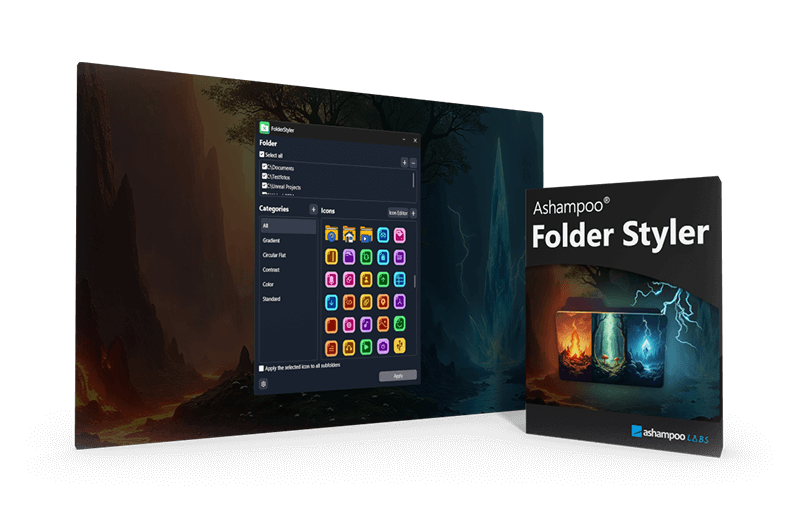
Give Windows folders a unique look in seconds
Folders on your Windows desktop all look the same—yellow, dull, and hard to tell apart. But you can easily change that! With Ashampoo Folder Styler, you can give your folders a custom design and style them just the way you want. Make your Windows experience more personal and organized!
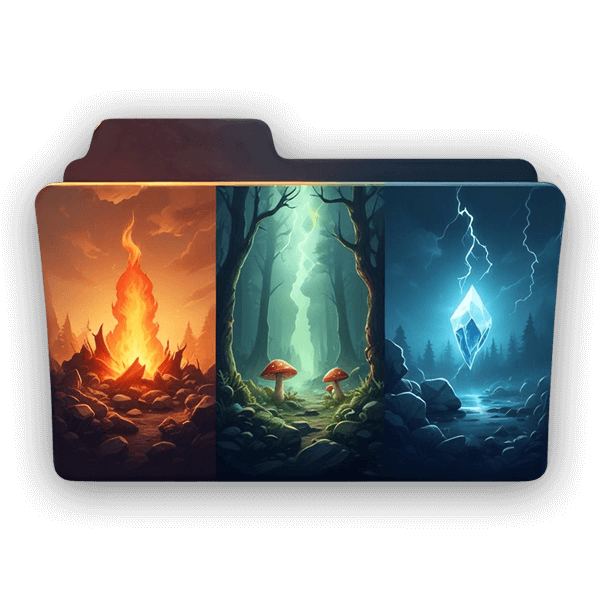
- Instantly customize Windows folders
- Over 130 folder icons included
- Icon editor for your own designs
- Easily personalize your Windows desktop
- Better organization and unique personal touch
Custom icons for your folders
Replace the default folder icons with unique designs. Upload your own images or use the included themes, specially created for the software. With the built-in icon editor, you can even give your own images a distinctive folder look. Try it today!
Easy to use
Ashampoo Folder Styler is designed to deliver impressive results—even without any prior experience. In just seconds, you can give your folders a fresh new look. And with just one click, you can apply the same style to all subfolders.
A lot has changed since my first exposure to Windows 3.11, but folder icons have somehow remained dull and uninspired. While I accepted that for years, Nils, our junior developer, no longer did. With Folder Styler, he created a tool that finally lets you customize folders easily. Thanks mate!

Huge icon selection included
For those who don’t want to create their own designs, Ashampoo Folder Styler comes with more than 130 folder icons that are free to use. Select from timeless designs or bold graphics—you're bound to find the perfect match!
Better organization + creativity
We recognize images much faster than text and with custom folder designs, you’ll find your files at a glance, literally! Plus, it’s also fun to personalize your desktop the way you like. Match your PC’s look to the seasons and special projects or even create a special theme for loved ones!
What customers think about Folder Styler
Only customers who have purchased or registered a specific product can rate that product.
This way you can be certain that all opinions are genuine and verified.
-
JAROSŁAW TomaszewskiIt's fun Fajna zabawa
This product is for those who like to customize their computers. In this case, you can easily change the standard folders to something that interests you more. You can let your imagination run wild and customize the appearance of the details, which is important to me.
To produkt dla tych, którzy lubią coś sobie pozmieniać w komputerze. W tym wypadku można łatwo zmienić tradycyjne foldery na coś, co bardziej nas interesuje. Można uwolnić swoją wyobraźnię i zmienić szatę graficzną detali, co w moim przypadku jest ważne.
This review has been automatically translated.Helpful? -
KAALSo that even the folder structure becomes more meaningful Damit schon die Ordnerstruktur an Aussagekraft gewinnt
FFolder Styler isn’t just extremely useful—at least in my work environment—but it also brings its own unique style to the screen, allowing you to see at a glance where everything is and what kind of files a folder contains.
As a photographer, I really appreciate being able to see a thumbnail of the photo right on my folders.
Using custom images helps distinguish important folders from unimportant ones, see which ones are up to date, and find folders more easily without having to read the tiny text.
The only limit is your imagination. Unfortunately, these folder icons sometimes disappear after a Windows update, which is a bit annoying. For whatever reason.
Basically, it’s a small, neat, and fun little helper that you don’t absolutely need but are glad to have.
FFolder Styler ist nicht nur extrem nützlich, zumindest in meinem Arbeitsumfeld sondern bringt auch einen eigenen Style auf den schirm auf dem man mit einen Blick erkennt, was wo ist und welche art von dateine ein ordner beinhaltet.
Für mich als Fotograf ist es sehr angenehm auf meinen Ordnern gleich das Bild des fotografierten zu sehen.
Mit eigenen Bildern wichtige von unwichtigen ordnern zu unterscheiden, die aktualität zu erkennen und ordner leichter zu finden ohne die kleine schrift lesen zu müssen.
Grenzen setzt nur die eigene fantasie. leider verschwinden diese Ordnersymbole manchmal bei einen Windows update, was etwas nervt. Warum auch immer.
Grundsätzlich ein kleines, feines und spaß machendes helferlein, das man nicht unbedingt braucht aber man froh ist wenn man es hat.
This review has been automatically translated.Helpful? -
ΖΑΧΑΡΙΑΣ ΖΑΧΑΡΙΑΔΗΣvery good program πολύ καλό πρόγραμμα
very good program
πολύ καλό πρόγραμμα
This review has been automatically translated.Helpful? -
vahid khThanks to Ashampoo
This is a very useful and beautiful software with various designs.
Full folder customization capability with various icons and beautiful colors.
Thanks to Ashampoo
Helpful? -
PeterAshampoo Folder Styler - First Impressions Ashampoo Folder Styler - erste Eindrücke
Not bad!
Nice utility... There are a few comparable tools, but I like this one the best. It is clearly arranged and thanks to the numerous icons available, you are sure to find individual pictures!
Nicht schlecht!
Nettes Utility...Es gibt ja einige vergleichbare Tools, aber dieses gefällt mir am besten. Es ist übersichtlich und dank der zahlreich vorhandenen Icons findet man sicher individuelle Bildchen!
This review has been automatically translated.Helpful?