

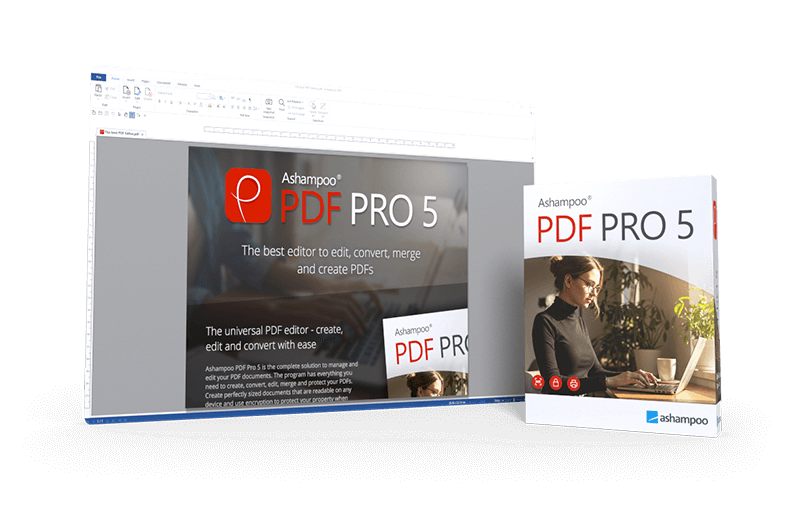
Ashampoo® PDF Pro 5
Ashampoo PDF Pro 5–more power, speed and flexibility!
for free now!
| 5 stars |
|
926 |
(64.8%)
|
| 4 stars |
|
311 |
(21.8%)
|
| 3 stars |
|
92 |
(6.4%)
|
| 2 stars |
|
32 |
(2.2%)
|
| 1 star |
|
67 |
(4.7%)
|
Only customers who have purchased or registered a specific product can rate that product.
This way you can be certain that all opinions are genuine and verified.
The complete PDF package–fast, efficient, and intuitive
Ashampoo PDF Pro 5 is the complete solution to manage and edit your PDF documents. The program has everything you need to create, convert, edit, merge and protect your PDFs. Create perfectly sized documents that are readable on any device and use encryption to protect your property when needed. Your PDFs are now as easily editable as Word documents!
- 64-bit support for maximum performance, even with large documents
- Flexible view options with tabs, separate windows, or shared workspace
- Book layout for realistic double-page viewing
- Page-by-page scrolling for precise navigation
- Automatic document comparison via drag and drop
- Auto-applies most recently used font and size
- Open new files as tabs

More power for large documents
Faster launch, smoother handling, secure savesWith full 64-bit support, Ashampoo PDF Pro 5 can access all available system memory to handle even the largest PDF files with ease. Now, you can work fluidly without delays or stutters, even with complex or data-heavy documents. Whether it’s technical manuals, research papers, or full catalogs–Ashampoo PDF Pro 5 handles them all with impressive speed and stability.

Open PDFs your way
Edit documents the way you like to workYou decide how Ashampoo PDF Pro 5 opens your files. Through the options menu, you can decide if new PDFs should open in tabs, separate windows, or within the same workspace. This ensures everything remains organized and optimized according to your workflow preferences. Whether you favor focused, single-document editing or juggling multiple projects simultaneously, Ashampoo PDF Pro 5 seamlessly adapts to your style.

Convenience in every detail
Work smarter and save clicks with intelligent featuresAshampoo PDF Pro 5 anticipates your needs and delivers noticeable convenience in daily use. When you open a PDF from Windows Explorer, it now appears as a new tab within your existing window. The new Book Layout view displays two pages side by side, just like a real book, and Page-by-Page Scrolling lets you move precisely one page per mouse wheel turn. Drag and drop two PDF files into the program to start an instant document comparison and see differences at a glance. When adding text, Ashampoo PDF Pro 5 remembers your last used font and size, ensuring a consistent look without manual adjustment.
I work with PDFs constantly, both professionally and privately, and there’s hardly a format that’s more universally useful. Since I prefer focusing on a single application, having an all-in-one solution was important to me. That’s why I was especially happy when enhanced our portfolio with our own PDF solution.

Don't copy, convert!
Post-edit your documents in MS Word or other formats
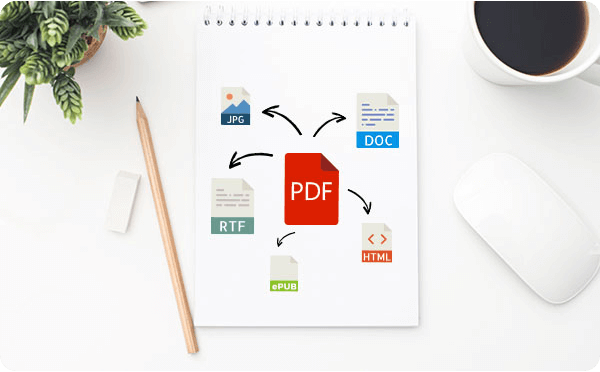
Ashampoo PDF converts your PDFs into text documents editable with MS Office or Ashampoo Office. HTML, EPUB, JPG or RTF are also supported as output formats. Ashampoo PDF Pro furthermore supports optical character recognition to convert your scans into editable and searchable documents.
PDF creation made easy
Built-in PDF printer driver for maximum flexibility
Ashampoo PDF can create high-quality PDFs from any Windows application. Simply click "Print" and select the included Ashampoo PDF virtual printer. If size matters, Ashampoo PDF can automatically downsample images, e.g. to facilitate online publishing.

Create trustworthy PDFs with digital signatures
Sign your documents for authenticity and added trust!
Digital signatures are the equivalent of an ink signature on a paper document, but much more secure. They signal authenticity and prevent secret tampering. Ashampoo PDF Pro makes signing your documents super easy and helps you build trust with your recipients.

What customers think about PDF Pro 5
Only customers who have purchased or registered a specific product can rate that product.
This way you can be certain that all opinions are genuine and verified.
-
Anestis Loukidis"PDF PRO 5" Der "PDF PRO 5"
I think the program is very good because you can do everything with it
.
Das Programm ist für mich Sehr Gut, weil man alles damit erledigen
kann.
This review has been automatically translated.Helpful? -
Gerhard KojakTop Product Top Produkt
I was looking for an easy-to-use PDF editor that would let me create PDFs from any application, organize, compare, and insert pages, etc., edit existing PDFs, and also fill out and resave forms. After trying out various software options, I finally settled on Ashampoo PDF Pro 5 and purchased the product. Well, it’s affordable, does everything you need, and is very easy to use. The download and installation were quick and hassle-free. OK, it doesn’t have AI features like Wondershare, but honestly, I don’t really need or want that anyway.
I highly recommend this software—it can do far more than you’ll probably ever need, and I really appreciate how easy it is to use.
I’d buy it again in a heartbeat.
Suchte nach einen einfach zu bedienenden PDF Editor, um aus jeder Anwendung heraus eine PDF zu erzeugen, Seiten zu organisieren, vergleichen, einfügen, usw. , und fertige PDF´s zu ändern, und auch um Formulare auszufüllen und neu abzuspeichern. Nachdem ich verschiedene Software ausprobiert habe, bin ich schließlich bei Ashampoo PDF Pro 5 geblieben und hab mir das Produkt gekauft. Tja, günstig, kann alles was man braucht und das sehr einfach. Download und Installation ging schnell und ohne Probleme. OK, es hat nix mit KI so wie wondershare, aber ehrlich gesagt so was brauch und will ich eigentlich gar nicht.
Ich kann die Software nur empfehlen, sie kann weit mehr als man wahrscheinlich brauchen wird, und ich schätze die einfache Bedienbarkeit.
Jederzeit wieder.
This review has been automatically translated.Helpful? -
StefanPowerful tool Leistungsstarkes Tool
Surprisingly good features for editing PDF files. I can't compare it to Adobe, but I think Ashampoo PDF Pro 5 offers excellent value for the price!
Überraschend gute Möglichkeiten um PDF-Dateien zu bearbeiten. Ich kann die Möglichkeiten von Adobe nicht abschätzen, aber das Preis/Leistungs-Verhältnis finde ich bei Ashampoo PDF Pro 5 sehr gut!
This review has been automatically translated.Helpful? -
Bodo ZorodduMy opinion Meine Meinung
An affordable alternative to Adobe
Eine günstige Alternative zu Adobe
This review has been automatically translated.Helpful? -
raul muñozPerfect Perfecto
A more than acceptable option—it’s very straightforward, and at least for me, it’s very easy to use.
Una opción más que aceptable, es muy sencillo y por lo menos para mi resulta muy fácil me utilizar.
This review has been automatically translated.Helpful?

More top products from Ashampoo: No PC should be without them!




The upgrade for more productive work with Write, Calculate, and Presentations