

 (ARM)
(ARM)
Ashampoo® Driver Updater
For the perfect system - always the latest drivers
| 5 stars |
|
3,271 |
(65.3%)
|
| 4 stars |
|
959 |
(19.1%)
|
| 3 stars |
|
343 |
(6.8%)
|
| 2 stars |
|
151 |
(3.0%)
|
| 1 star |
|
288 |
(5.7%)
|
Only customers who have purchased or registered a specific product can rate that product.
This way you can be certain that all opinions are genuine and verified.
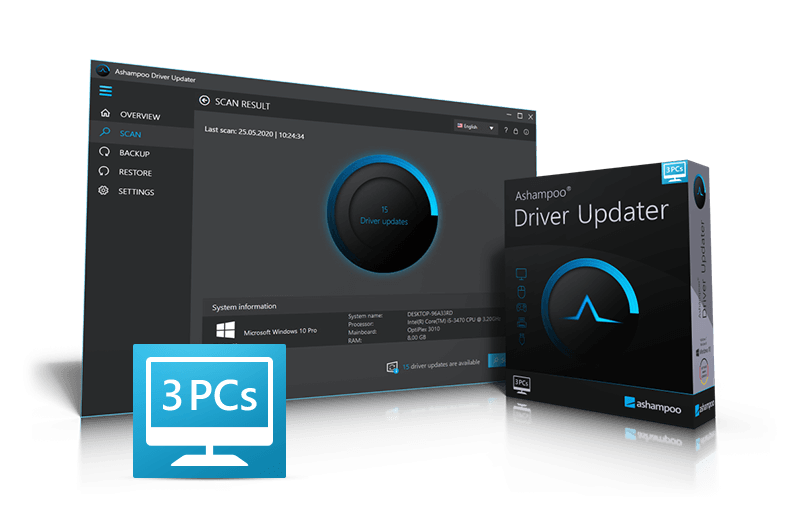
Keep drivers up to date–safe, automatic, reliable
The latest driver updates daily for your Windows system!
Are you relying on Windows for your updates? You may want to reconsider! For example, proviede hardware drivers are often outdated, if provided at all. Ashampoo Driver Updater selects and installs the right drivers for your system fully automatically. It's the safe way to keep your Windows system always up to date.
Optimal performance through up-to-date drivers!
- More than 400,000 drivers available
- Over 150,000 devices supported
- Maximum system stability
Always up-to-date drivers–fully automatically
Windows often installs drivers only partially or fails to keep them up to date. Ashampoo Driver Updater analyzes your system, detects outdated or missing drivers, and compares them against a massive driver database. Suitable updates are installed automatically, no manual digging through menus or searching required.
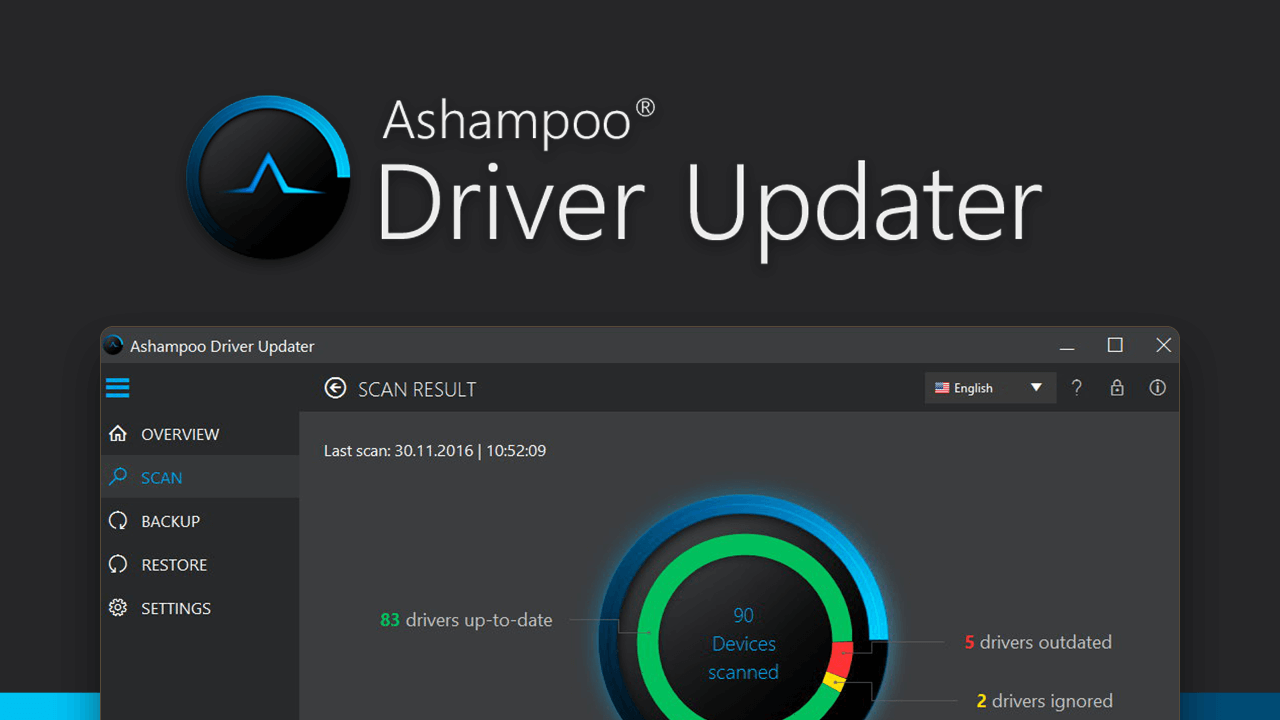
During my training days, I discovered that Windows doesn't always provide the most up-to-date drivers for every system component. This means some devices might not perform at their best since generic drivers are functional, but not optimal. Driver Updater fixes exactly that, which is why it runs on all my Windows machines.

Major 2026 update!
The 2026 major update makes Ashampoo Driver Updater one of the safest solutions for driver updates on Windows. System modifications are now consistently tracked and transparently documented. Automatic full backups before the first scan, a detailed installation history, and reliable rollback features ensure that driver updates are both convenient and risk-free. This keeps your system safely up to date at all times.
- Full control with installation history & rollback
- Automatic driver backups for maximum safety
- Built-in schedulerfor fully automated updates
- Reliable driver recovery in case of issues
- Direct access to Windows updates
Maximum stability and optimal performance
Up-to-date drivers are essential for a stable and fast system. Crashes, graphics issues, sound problems, or poor performance are often caused by outdated or faulty drivers. Especially in games and graphics-intensive applications, up-to-date drivers deliver maximum performance and unlock the full power of your hardware when it matters most.
The remedy for common Windows ailments
Wi-Fi dropouts, crackling audio, unrecognized devices, or limited functionality are widespread issues. Often, Windows default drivers fail to unlock the full potential of your hardware. Ashampoo Driver Updater replaces these fallback drivers with full-featured, up-to-date versions and ensures everything works as it should.
Perfect for Windows 11
Modern Windows versions place high demands on hardware and drivers. Ashampoo Driver Updater reliably detects installed components and finds suitable Windows 11 drivers in no time, even when upgrading from Windows 10. You won't need to deal with device names or manufacturer websites because the program will do it for you.
Transparent installation history and rollback
Every driver installation is logged in great detail, creating a full version history. This way, you can review all modifications and revert to a previous version at any time.
Safe and secure auto-backup and recovery
During the initial scan, Ashampoo Driver Updater creates a full backup of all existing drivers and creates a Windows restore point. Enhanced verification and recovery routines ensure safe driver installations and rollbacks even in the event of unexpected issues.
Windows integration and fully automated updates
Ashampoo Driver Updater features direct access to Windows’ own driver and system updates and lets you prioritize them for maximum compatibility. The built-in update scheduler handles driver checks and updates fully automatically so you don't have to do a thing.
Secure driver installations
Driver updates need to be managed carefully to ensure safety. Ashampoo Driver Updater handles this by logging every installation, creating automatic backups, and enabling you to easily revert to previous versions if necessary.

What is Ashampoo Driver Updater?
Why are up-to-date drivers important?
How does the program work?
Is it safe to use?
Can I update drivers manually?
Will my PC become faster?
Does the program offer backup and restore options?
How often should I check for driver updates?
Which Windows versions are supported?
What customers think about Driver Updater
Only customers who have purchased or registered a specific product can rate that product.
This way you can be certain that all opinions are genuine and verified.
-
Peter PrinsRetirees Rentner
Driver Updater is a very good program—I’d definitely use it again
Driver Updater ist ein sehr gutes Progamm gerne wieder
This review has been automatically translated.Helpful? -
AtlanI test a lot of different programs Ich teste sehr viele verschiedene Programme
Driver Updater—installation was very easy with no issues using the key; then I restarted and ran a scan. My PC from China is called
""" Tank """ , Intel H9 processor, 32 GB DDR5, Intel 770 graphics,
all drivers from China were replaced by the Driver-Updater,
then set the system to “Shut Down” instead of “Restart.” Then turn it back on; my PC is noticeably faster and very stable—no blue screens or other issues—even though the Chinese instructions said I shouldn’t change the drivers (you never know what they might put in them!). I set everything to “Manual” in the Driver Updater instead of “Automatic.” For Intel products, use only original Intel drivers from the Intel.de website. I’m very satisfied with this program from Ashampoo—many thanks for it, AtlanRS.
Driver-Updater, Installation sehr einfach ohne Probleme mit Schlüssel, dann Neustart und Suche, mein PC aus China heißt
""" Tank """ , Intel Prozessor H9, 32 Gb DDR 5, Grafik Intel 770,
alle Treiber aus China wurden durch den Driver-Updater ersetzt,
dann das Sysem auf runterfahren/ausschalten und nicht auf neustarten setzen. Dann neu einschalten, mein PC ist deutlich schneller und sehr stabil, kein Bluesceen oder andere Probleme obwohl in der chinesischen Beschreibung stand, ich solle nicht die Treiber wechseln (man weis nie was die alles in Treiber einbauen können!) . Habe beim Treiberupdater alles auf manuell gestellt und nicht automatisch. Bei Intelprodukten nur Inteloriginaltreiber von der Intel.de Seite verwenden. Bin sehr zufrieden mit diesem Programm von Ashampoo, besten Dank dafür AtlanRS.
This review has been automatically translated.Helpful? -
Rolf ProtocsilDriver Updater Driver Updater
It updated various drivers; I'm satisfied.
Hat diverse Treiber aktualisiert bin zufrieden.
This review has been automatically translated.Helpful? -
Karlheinz LouisGood quality gute Qualität
The software is easy to use
Die Software ist einfach zu bedienen
This review has been automatically translated.Helpful? -
Raymond JostTop Product Top Produkt
Since then, my USB card reader has been working too. Great!
Seitdem funktioniert auch mein USB Card Reeder.Klasse
This review has been automatically translated.Helpful?

More top products from Ashampoo: No PC should be without them!

Compress, extract, encrypt, and back up files at lightning speed



Enhanced installation monitoring, precision, and compatibility for your System!