

Ashampoo® PDF Pro 5
Ashampoo PDF Pro 5–more power, speed and flexibility!
for free now!
| 5 stars |
|
533 |
(67.3%)
|
| 4 stars |
|
157 |
(19.8%)
|
| 3 stars |
|
43 |
(5.4%)
|
| 2 stars |
|
21 |
(2.7%)
|
| 1 star |
|
38 |
(4.8%)
|
Only customers who have purchased or registered a specific product can rate that product.
This way you can be certain that all opinions are genuine and verified.
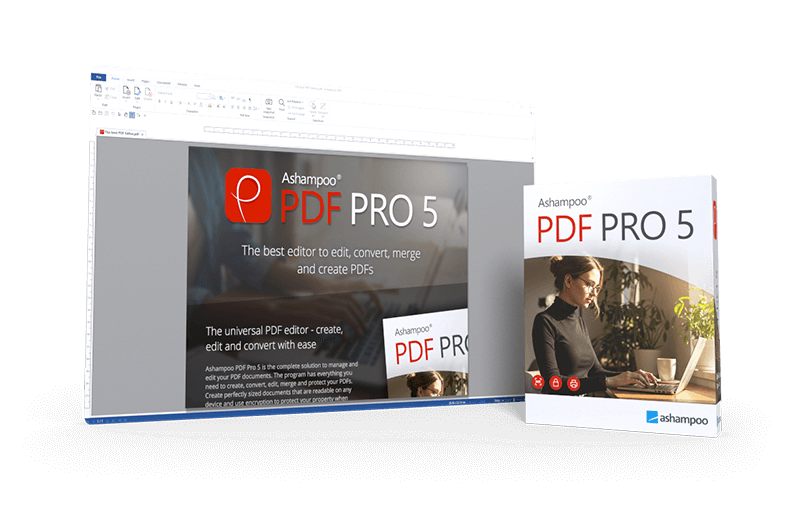
The complete PDF package–fast, efficient, and intuitive
Ashampoo PDF Pro 5 is the complete solution to manage and edit your PDF documents. The program has everything you need to create, convert, edit, merge and protect your PDFs. Create perfectly sized documents that are readable on any device and use encryption to protect your property when needed. Your PDFs are now as easily editable as Word documents!
- 64-bit support for maximum performance, even with large documents
- Flexible view options with tabs, separate windows, or shared workspace
- Book layout for realistic double-page viewing
- Page-by-page scrolling for precise navigation
- Automatic document comparison via drag and drop
- Auto-applies most recently used font and size
- Open new files as tabs
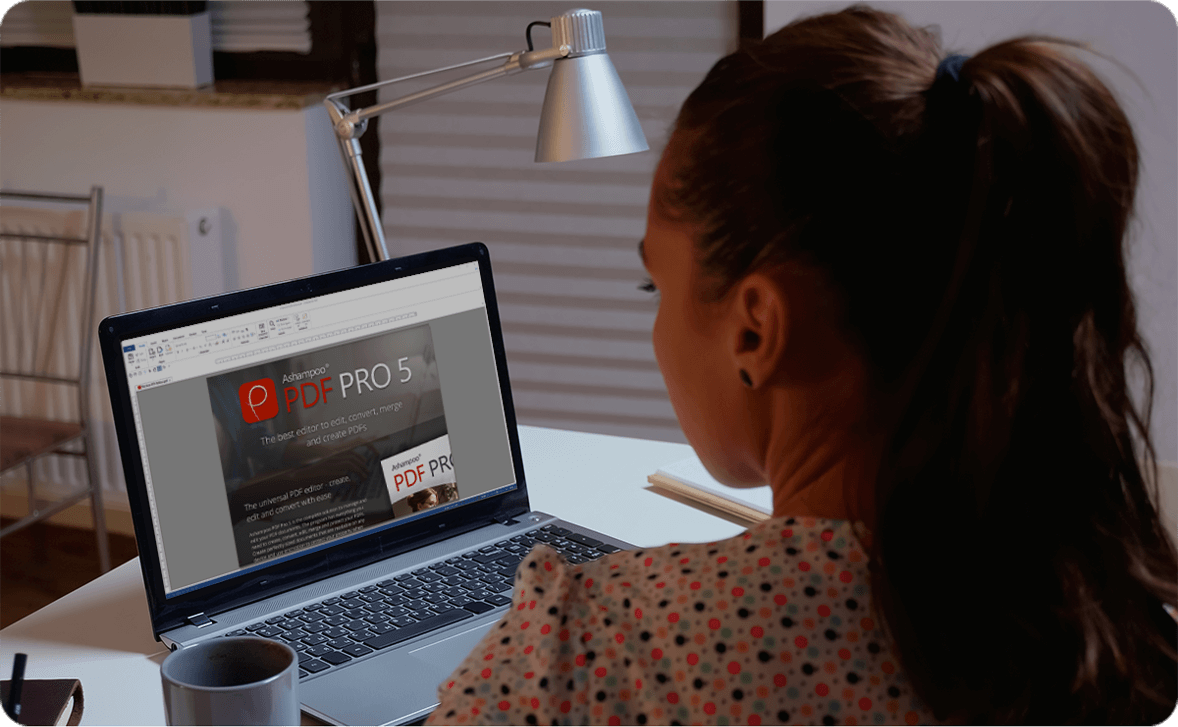
More power for large documents
Faster launch, smoother handling, secure savesWith full 64-bit support, Ashampoo PDF Pro 5 can access all available system memory to handle even the largest PDF files with ease. Now, you can work fluidly without delays or stutters, even with complex or data-heavy documents. Whether it’s technical manuals, research papers, or full catalogs–Ashampoo PDF Pro 5 handles them all with impressive speed and stability.

Open PDFs your way
Edit documents the way you like to workYou decide how Ashampoo PDF Pro 5 opens your files. Through the options menu, you can decide if new PDFs should open in tabs, separate windows, or within the same workspace. This ensures everything remains organized and optimized according to your workflow preferences. Whether you favor focused, single-document editing or juggling multiple projects simultaneously, Ashampoo PDF Pro 5 seamlessly adapts to your style.

Convenience in every detail
Work smarter and save clicks with intelligent featuresAshampoo PDF Pro 5 anticipates your needs and delivers noticeable convenience in daily use. When you open a PDF from Windows Explorer, it now appears as a new tab within your existing window. The new Book Layout view displays two pages side by side, just like a real book, and Page-by-Page Scrolling lets you move precisely one page per mouse wheel turn. Drag and drop two PDF files into the program to start an instant document comparison and see differences at a glance. When adding text, Ashampoo PDF Pro 5 remembers your last used font and size, ensuring a consistent look without manual adjustment.
I work with PDFs constantly, both professionally and privately, and there’s hardly a format that’s more universally useful. Since I prefer focusing on a single application, having an all-in-one solution was important to me. That’s why I was especially happy when enhanced our portfolio with our own PDF solution.

Don't copy, convert!
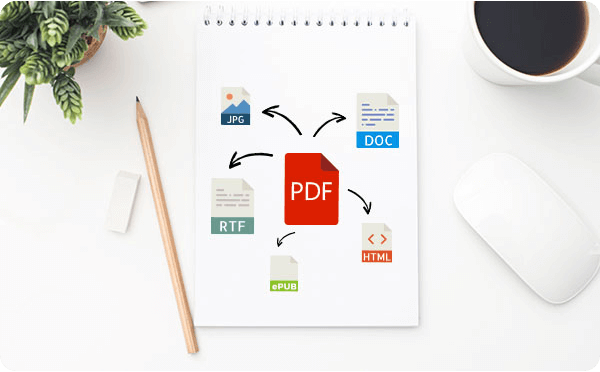
Post-edit your documents in MS Word or other formats
Ashampoo PDF converts your PDFs into text documents editable with MS Office or Ashampoo Office. HTML, EPUB, JPG or RTF are also supported as output formats. Ashampoo PDF Pro furthermore supports optical character recognition to convert your scans into editable and searchable documents.
PDF creation made easy
Built-in PDF printer driver for maximum flexibility
Ashampoo PDF can create high-quality PDFs from any Windows application. Simply click "Print" and select the included Ashampoo PDF virtual printer. If size matters, Ashampoo PDF can automatically downsample images, e.g. to facilitate online publishing.

Create trustworthy PDFs with digital signatures
Sign your documents for authenticity and added trust!
Digital signatures are the equivalent of an ink signature on a paper document, but much more secure. They signal authenticity and prevent secret tampering. Ashampoo PDF Pro makes signing your documents super easy and helps you build trust with your recipients.

What customers think about PDF Pro 5
Only customers who have purchased or registered a specific product can rate that product.
This way you can be certain that all opinions are genuine and verified.
-
Bruno SteigerOrdered, installed, and it works Bestellt, installiert und es funktioniert
I’ve been working with Ashampoo PDF Pro 4 for about a year, and everything has been fine so far.
I can’t report anything concrete yet about the upgrade to PDF Pro 5, since I only installed it yesterday.
Either way, the product is worth recommending.
Mit Ashampoo PDF Pro 4 ca. 1 Jahr gearbeitet, jeweils alles ok.
Mit dem Upgrade auf PDF Pro 5 kann noch nichts handfestes berichtet werden, da erst seit gestern installiert.
So oder so, das Produkt ist empfehlenswert.
This review has been automatically translated.Helpful? -
Helmut HehnGreat alternative to the market leader Tolle Alternative zum Marktführer
The installation and launch of the program went smoothly. The software is very user-friendly, and I’m getting excellent results with it. In particular, editing PDF files directly in the editor (WYSIWYG) is a standout feature; in addition to deleting, replacing, and inserting text and other elements, the ability to directly modify the markup is impressive.
The generated files are fully compatible with the market leader.
The value for money is excellent; most importantly, there are no monthly or annual fees—it’s a one-time purchase. Upgrading from previous versions is available at a discounted rate. And the software is occasionally on special offer (subscribing to the newsletter is recommended).
If you need a second license for a second device or want to provide it to other family members, you’ll also receive a particularly affordable offer (to do this, try to activate the license on another computer; an error message will appear, from which you can purchase the additional license).
Conclusion: highly recommended!
Die Installation und der Start des Programms liefen reibungslos. Die Software ist sehr gut zu bedienen und ich erziele damit sehr gute Ergebnisse. Vor allem die Bearbeitung von PDF-Dateien direkt im Editor (WYSIWYG) ist ein Highlight, neben dem Löschen, Ersetzen und Einfügen von Text und anderen Elementen überzeugt, dass auch die Schriftauszeichnungen direkt geändert werden können.
Die erzeugten Dateien sind voll kompatibel mit dem Marktführer.
Das Preis-Leistungs-Verhältnis ist hervorragend, vor allem wird keine monatliche oder jährliche Gebühr fällig, sondern es handelt sich um einen Einmalkauf. Der Umstieg von den vorherigen Programmversionen ist vergünstigt möglich. Und die Software ist immer wieder mal im Sonderangebot (Das Newsletter-Abo ist empfehlenswert.)
Wer eine zweite Lizenz für ein Zweitgerät benötigt oder weitere Familienangehörige ausstatten möchte, erhält ebenfalls ein besonders günstiges Angebot (dazu versuchen, die Lizenz auf einem weiteren Rechner zu aktivieren, dann kommt eine Fehlermeldung, aus der heraus die Zusatzlizenz gebucht werden kann).
Fazit: rundum empfehlenswert!
This review has been automatically translated.Helpful? -
Ronny RonanderHelpful
Ashampoo products always work.
Helpful? -
Ramiro UlateExcellent program Exelente programa
Although I’m still learning how to use all the tools, I really like it. It’s very fast and easy to create, edit, merge, extract, and use other features for working with PDFs.
Aunque estoy en el proceso de aprendizaje de todas las herramientas me ha gusta mucho. Es muy rapido y facil para crear,editar,unir,extraer y mas opciones para trabajar con pdf.
This review has been automatically translated.Helpful? -
Wolfgang HammerThe successful successor to the PDF program Der gelungene Nachfolger des PDF - Programmes
The ultimate PDF program. As an owner of the previous version, I received an affordable upgrade.
Das ultimative PDF - Programm. Für Besitzer der Vorgängerversion habe ich ein kostengünstiges Upgrade erhalten.
This review has been automatically translated.Helpful?
More top products from Ashampoo: No PC should be without them!