

Ashampoo® WinOptimizer Pro 29
Fast. Clean. Safe.
for free now!
| 5 stars |
|
1,987 |
(80.0%)
|
| 4 stars |
|
351 |
(14.1%)
|
| 3 stars |
|
57 |
(2.3%)
|
| 2 stars |
|
20 |
(0.8%)
|
| 1 star |
|
70 |
(2.8%)
|
Only customers who have purchased or registered a specific product can rate that product.
This way you can be certain that all opinions are genuine and verified.
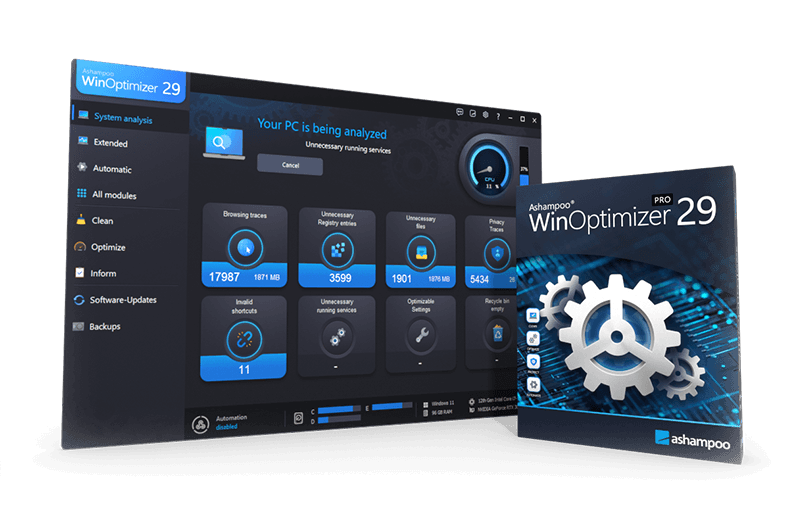
Discover the next generation of system optimization!
Over time, Windows slows down, accumulates junk files, and shares more data than you might be comfortable with. Ashampoo WinOptimizer Pro 29 thoroughly cleans your system, boosts performance, and restores speed–instantly and noticeably. Unnecessary files are removed, processes optimized, and your privacy safeguarded. Your PC will feel fast, stable, and clean again–almost like a fresh installation.
Your benefits
- Speeds up your PC instantly
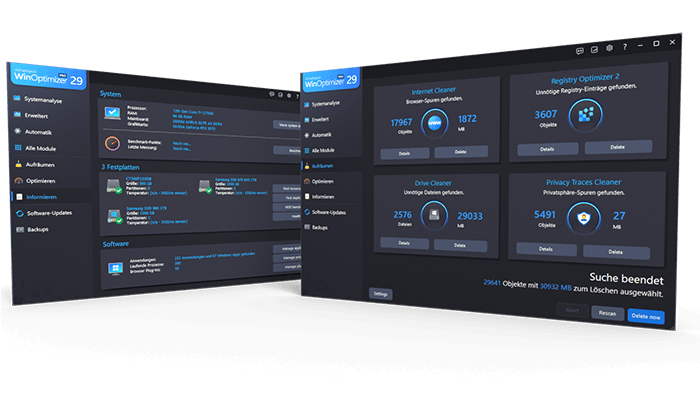
- Four powerful cleaners with One-Click Optimizer
- Find and remove sensitive data with Privacy Traces Cleaner
- Analyze crashes and error reports with Crash Analyzer
- Advanced system analysis to optimize key areas
- Customize Windows with Tuning Assistant
- Thorough deep cleaning of junk files
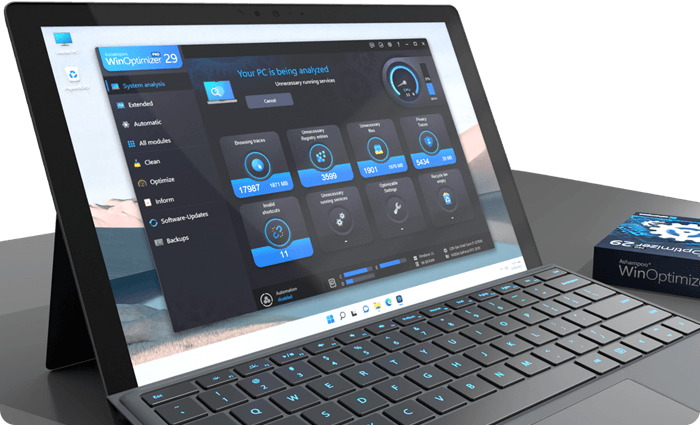
Optimized with a single click
All essential maintenance tasks handled automatically
Once engaged, One Click Optimizer takes care of the most important maintenance tasks fully automatically. It combines features from Drive Cleaner, Internet Cleaner, and Registry Optimizer, removes junk files, cleans up the Registry, and deletes web browsing traces–without the need to run these modules individually. Your system is optimized quickly, easily, and reliably. You get maximum results with minimal effort.
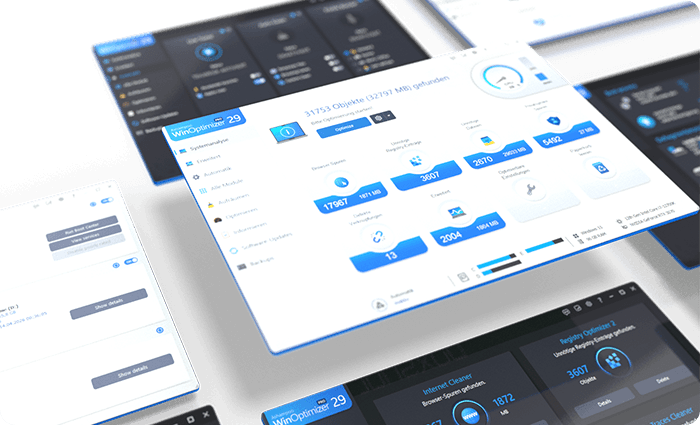
Thorough cleaning for more space and performance
Removes junk files, application traces, and unnecessary system leftovers
Over time, unnecessary files, logs, and browsing traces build up, taking up space and slowing down Windows. WinOptimizer removes these leftovers reliably and ensures your system runs clean and efficiently again. Drive Cleaner deletes unnecessary files from your drives, while Internet Cleaner removes web browsing data and traces. The integrated Registry Optimizer fixes invalid and orphaned entries in Windows Registry, and Privacy Traces Cleaner removes sensitive user-related data that may affect your privacy. Even hidden leftovers accumulated over time are detected and removed. This frees up valuable disk space, reduces system load, and lays the foundation for a faster, more stable system.
More speed for your daily PC needs
Optimizes startup, processes, and system resources
Your system starts faster, runs more smoothly, and programs respond without noticeable lag. Live-Tuner prioritizes active applications, while Startup Manager keeps unnecessary programs from launching during boot, reducing startup times. With Service Manager, you stay in control of background services, while Profile Booster fine-tunes system settings to further improve performance. This allows your PC utilize resources more efficiently and remain responsive even under heavy load.
Protect your privacy and stay in control
Eliminates data traces and protects personal information
Web browsing traces, usage data, and sensitive information created during everyday use are reliably removed. Privacy Manager helps you adjust Windows privacy settings, while specialized tools like Internet Cleaner and Privacy Traces Cleaner ensure that personal data is always removed from your system. This reduces tracking, protects your activity, and keeps your system secure.
I often wonder why the, by now, well-known cleaners get all the attention in WinOptimizer. Many of the roughly 30 modules are so powerful and thoughtfully designed that they could stand alone as full-fledged programs. These are real tools, and users should definitely try them out.

Keep an eye on your system at all times
Identifies issues and highlights optimization potential
The comprehensive analysis shows exactly where optimization is needed. Tools like DiskSpace Explorer identify space hogs, while Crash Analyzer evaluates system errors and presents them clearly. This helps you detect issues early and take action before they become noticeable.
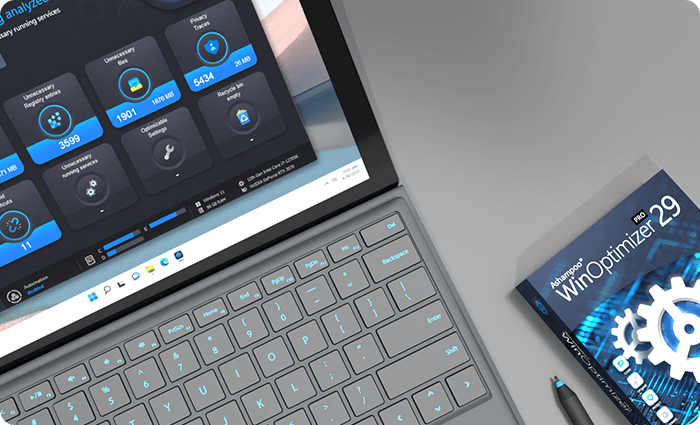
Customize Windows to your needs
More control through targeted system adjustments
With the integrated tuning modules, you gain direct access to hidden settings and can optimize your system precisely to your needs. The tweaking section offers a wide range of customization options, while tools like Context Menu Manager, File Associator, and User-Rights Manager provide additional control. This allows you to tailor Windows exactly to your needs.
Practical tools for everyday use
Additional features for file and system management
A wide range of additional tools support you in file and system management. With File Wiper, you can securely delete data, while tools like File Splitter, Encrypter, and Undeleter help you split, encrypt, or recover files. The package is rounded out by useful utilities such as the Link Checker, giving you greater control and flexibility in your daily workflow.
Maintenance that runs automatically
Automatic optimization in the background
If desired, regular cleaning and optimization tasks are performed automatically and in the background. This keeps your system consistently clean, fast, and stable, no manual effort required.

What is Ashampoo WinOptimizer?
How does one-click optimization work?
Can WinOptimizer also protect privacy?
Is WinOptimizer suitable for beginners?
What is the difference between WinOptimizer Free and the full version?
Can I also optimize multiple user accounts on the PC with WinOptimizer?
What is the difference between Auto Clean, Live Tuner, and Game Booster?
Can I also find empty folders or broken links with WinOptimizer?
Which versions of Windows are supported?
How often should I use WinOptimizer?
What happens if I delete something by mistake?
Do I need to be familiar with technology to use WinOptimizer?
What customers think about WinOptimizer Pro 29
Only customers who have purchased or registered a specific product can rate that product.
This way you can be certain that all opinions are genuine and verified.
-
marc StevensGood program Goed programma
I’ve been using this for a while now, and for me, it’s a comprehensive program. Scanning is very fast; you can check for software updates and then install them. In short, this program has everything you need.
I do find it unfortunate that it’s tied to a subscription with automatic renewal, but you can disable that if you want. However, if you do decide to renew, you’ll have to arrange it yourself—you won’t receive an email notifying you that your license is about to expire.It would be helpful to receive a notification about this so you can decide for yourself whether you still want to keep using this program.
Gebruik dit al een tijdje en voor mij is dit een compleet programma.Het scannen gebeurd heel vlot,je kunt scannen op software updates en die dan installeren.Kortom alles is aanwezig in dit programma.
Spijtig vind ik het wel dat dit gekoppeld is aan abonnement met automatische verlenging,maar dat kan je eventueel uitschakelen maar als je dan toch beslist om te verlengen moet je dit zelf regelen er word dan geen mail gestuurd dat licentie bijna afloopt .Handig zou wel zijn dat je daar toch bericht van krijgt zodat je dan zelf beslist of je dit programma nog wenst
This review has been automatically translated.Helpful? -
Dirk HeimeshoffSuitable for beginners because it’s easy to install and get started. Anfängertauglich, weil problemlos zu installieren und zu starten.
Also suitable for advanced users because everyone can tweak their own settings. Once set up, this protection runs quickly, without any glitches, and efficiently. Highly recommended
Fortgeschritten einsetzbar, weil jeder seine Einstellungen fummeln kann. Dieser Schutz arbeitet dann schnell ohne zu zicken und effizient. Empfehlenswert
This review has been automatically translated.Helpful? -
Maciej FlaszczyńskiSimply a great program Po prostu świetny program
It runs in the background and is lightweight and fast.
It performs very well when it has work to do.
And it’s easy to use.
It’s great.
Działa w tle i jest lekki, szybki.
Dużą sprawność osiąga jak ma co robić.
I prosty w obsłudze.
Świetna sprawa.
This review has been automatically translated.Helpful? -
ColandraWin Optimizer 29
I have been using Optimizer 28, and I must admit, I could not see the need to upgrade to 29 initially.
After taking the time to read the specification and performance differences, I more than justified my final decision to upgrade to 29.
While the screen variations are not huge, the performance of the software engine is very much improved.
It is much faster, has a few useful new features, and the database relating to cleaning a registry up is greatly increased.
Package is stable, installed trouble free.
I am very pleased with the upgrade, I have tested it thoroughly
and have had no issues at all.
I am pleased to recommend this package based on my testing and usage to date.
Colandra
Helpful? -
RogerWorks perfectly Funktioniert einwandfrei
Just click and let it do the work
Klicken und machen lassen
This review has been automatically translated.Helpful?
More top products from Ashampoo: No PC should be without them!