
 (ARM)
(ARM)
(ARM)
(ARM)
Ashampoo® Photo Commander FREE
Free management software for your photo collection!
for you!
| 5 stars |
|
988 |
(64.8%)
|
| 4 stars |
|
332 |
(21.8%)
|
| 3 stars |
|
136 |
(8.9%)
|
| 2 stars |
|
36 |
(2.4%)
|
| 1 star |
|
33 |
(2.2%)
|
Only customers who have purchased or registered a specific product can rate that product.
This way you can be certain that all opinions are genuine and verified.
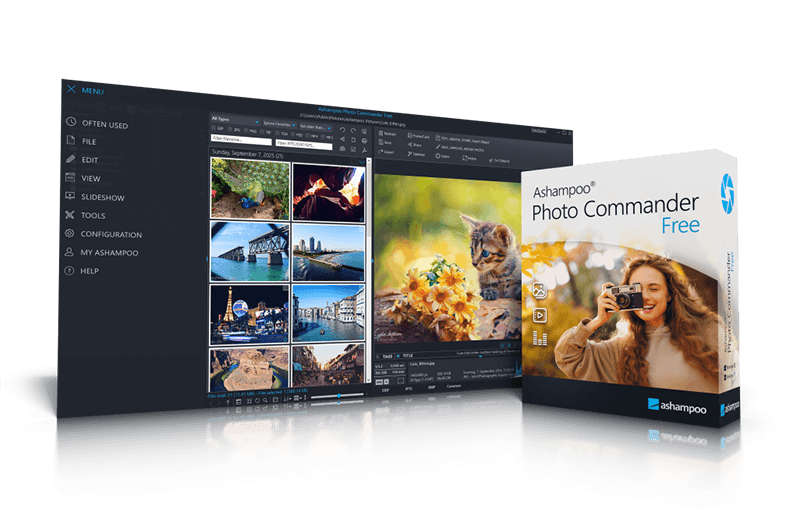
Ashampoo Photo Commander FREE–View, manage, and edit photos completely free of charge
Ashampoo Photo Commander FREE is a powerful and versatile free photo editing application that lets you view, organize, optimize, and present your photos. Whether vacation pictures, family photos, or creative projects, this program provides all essential tools for modern photo management and photo editing. The clear and intuitive interface makes it easy to get started, whether you are a beginner or an experienced photo software user.
- Comfortably manage, sort, filter, and group photos
- Add text, symbols, arrows, and speech bubbles directly to images
- Easily create collages from multiple photos
- Present photos as slideshows with music
- Multi-monitor support for presentations
- Animated camera movements with Ken Burns effect
- Display photos on maps using geo tags
- Add or correct shooting locations afterward
- View and edit metadata
- Print images individually, in batches, or as contact sheets
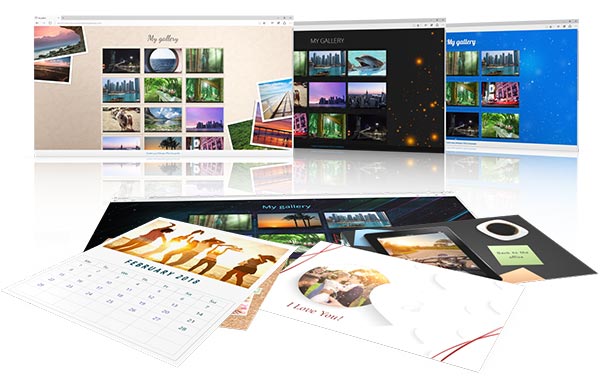
- Create greeting cards, calendars, and photo compilations
- Fast image search, even in large photo collections
- Share images by email or prepare them for social networks
- Rename, convert, and batch-process images
- Detect and selectively remove duplicate photos
- Automatic image optimization for better colors, contrast, and brightness
- Manual photo editing with sliders for sharpness, gamma, color temperature, and more
- Remove image noise, scratches, spots, and red-eye effects
- Straighten horizons and correct image flaws
- Extensive effects library for creative image styles
Comfortably manage and organize photos
Photo Commander helps keep even large photo collections well organized. Images can be quickly sorted, filtered, grouped, renamed, or converted into other formats. Duplicate photos can be detected and removed, while metadata can be viewed and edited. Intelligent search and filter functions make it easy to find any image within seconds, even in extensive archives.

View and present photos – including multi-monitor support
Photos can be viewed in high quality and browsed comfortably. Music-enhanced slideshows showcase images in an engaging way and are ideal for presentations or relaxed viewing sessions. Particularly convenient: Users can control the slideshow on one monitor while the presentation runs on a second screen. Smooth transitions and animated camera movements in the popular Ken Burns style create impressive visual effects.
Easy photo editing – automatic or manual
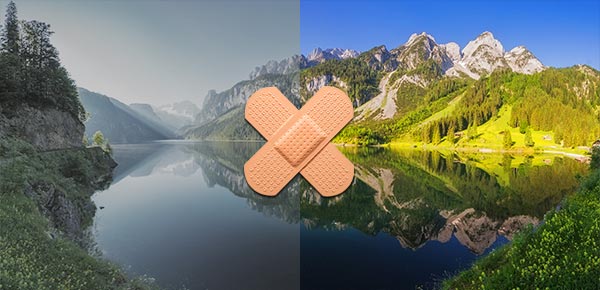
Automatic image optimization improves contrast, colors, and brightness with a single click. It delivers impressive results even for challenging shots. In addition, numerous manual tools are available to precisely adjust color temperature, gamma, sharpness, and many other parameters. Noise, scratches, spots, and red eyes can be selectively removed, and tilted horizons can be quickly corrected.
Creative design with effects, text, and graphics
A wide range of effects and image styles allows photos to be personalized with ease. Comments, symbols, arrows, or speech bubbles can be added directly to images for explanations, creative expression, or use in presentations. Collages can be created from multiple photos in just a few steps and are perfect for social media, prints, or gifts.
Visualize locations with maps and geo features
Photos containing GPS data can be automatically localized on maps, allowing images to be easily identified by their shooting locations. Missing geo tags can be added afterward. This makes trips, excursions, and vacations easy to document and visually engaging.

Print, share, and reuse
Images can be printed individually, in batches, or as contact sheets. Instantly usable greeting cards, calendars, and photo compilations can be created quickly. Finished works can be conveniently sent by email or optimized for social networks without the need for additional software.
What customers think about Photo Commander FREE
Only customers who have purchased or registered a specific product can rate that product.
This way you can be certain that all opinions are genuine and verified.
-
József PilinczesKudos! Dícséret!
I love working with it! It's great for home use!
Szeretek vele dolgozni! Házi használatra kiváló!
This review has been automatically translated.Helpful? -
iBemmeTested Getestet
Good software—everything works perfectly.
Gute Software, alles passt.
This review has been automatically translated.Helpful? -
Jeff SayleExcellent programme
It does everything and more I need in order to organise and view all my files containing photos. Highly recommended.
Helpful? -
Dieter Briegelpoto Commander free poto Commander Free
I am very satisfied
ich bin sehr zufrieden
This review has been automatically translated.Helpful? -
Werner BarthelTop-notch photo editing at a fair price Super Qualität von Fotobearbeitung zum fairen Preis
Ashampoo It offers a user-friendly, high-quality photo editing application. It provides a wide range of features that encourage and support creativity. The instructions are easy to follow, and all of this comes at a fair price. I highly recommend it. You’re always up to date, and you’re regularly informed about new features. I’m very satisfied and impressed.
Ashampoo bietet eine übersichtliche, qualifizierte Anwendung in der Fotobearbeitung. Sehr viele Möglichkeiten, die Kreativität fördern und unterstützen. Verständliche Anweisungen und das alles zum fairen Preis. Kann ich bestens empfehlen. Man ist immer auf dem neuesten Stand und wird regelmäßig über Neuerungen informiert. Bin sehr zufrieden und überzeugt.
This review has been automatically translated.Helpful?

More top products from Ashampoo: No PC should be without them!




The ultimate fix for malware infections, hard disk defects and Windows crashes