 (ARM)
(ARM)
 (ARM)
(ARM)
Ashampoo® Photo Optimizer Pro 26
New Looks, new moods, new possibilities
for free now!
| 5 stars |
|
336 |
(65.9%)
|
| 4 stars |
|
118 |
(23.1%)
|
| 3 stars |
|
31 |
(6.1%)
|
| 2 stars |
|
15 |
(2.9%)
|
| 1 star |
|
10 |
(2.0%)
|
Only customers who have purchased or registered a specific product can rate that product.
This way you can be certain that all opinions are genuine and verified.
Perfect image quality at optimal file size
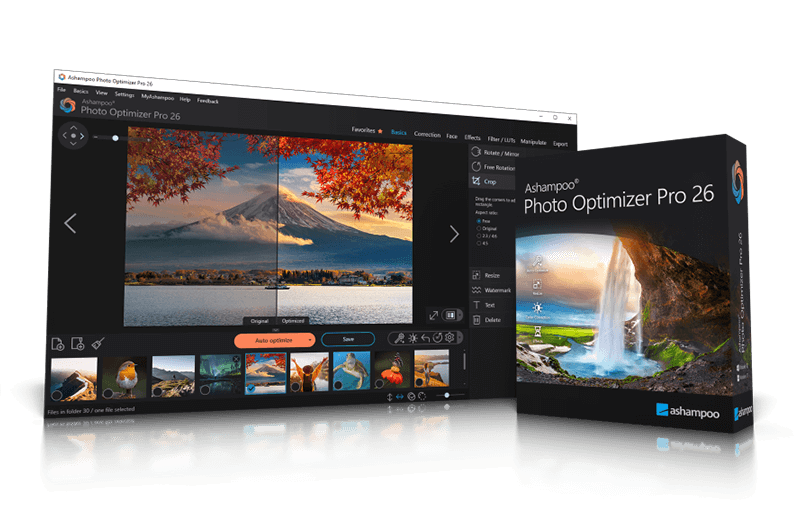
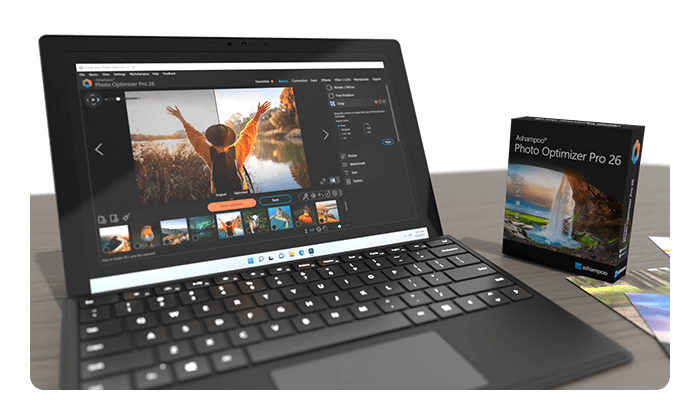
Photos constitute irreplaceable memories and capture special moments in our lives. But they do not always come out as expected, or leave room for improvement. Ashampoo Photo Optimizer Pro 26 helps you to make the most of your photos in a single click and achieve stunning results almost instantly and automatically–even with handy batch processing!
Efficient image compression with full control
With the new image compression feature, you can perfectly balance quality and file size. JPG, WebP, and PNG files can now be reduced quickly and precisely—including an interactive live before/after preview. As you adjust the settings, you’ll see the expected file size in real time and maintain full control over the final result. Save valuable storage space without visible quality loss—ideal for online use, archiving, or sharing Your images quickly.
- Perfect image quality at optimal file size
- New image compression with live preview and file size control
- 27 new LUTs for fresh one-click looks
- New photo frames for additional image moods
- Modernized user interface
- Enhanced RAW support and optimized metadata handling
27 Brand-New LUTs Included!
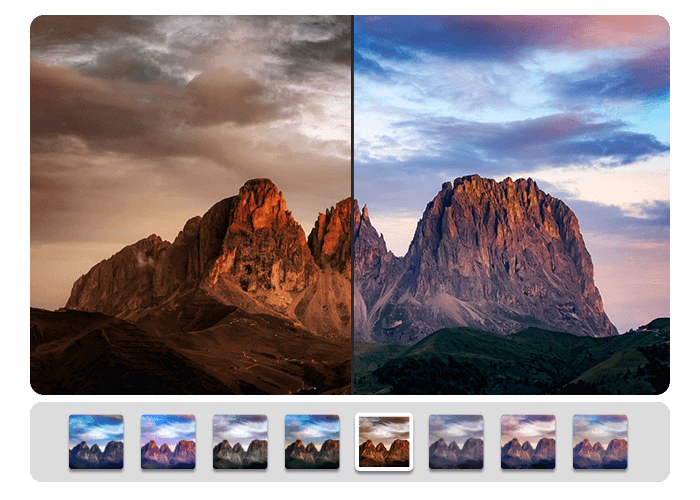
LUTs (Look-Up Tables) adjust multiple image parameters such as hue, saturation, brightness, and contrast at once, giving photos a completely new look and atmosphere. In this new version, the LUT collection has been significantly expanded: Three new LUTs have been added to each of nine categories—Halloween, Christmas, Autumn, Summer, Vintage, Contrast, HighKey, LowKey, and FX. This means 27 new looks are now available for seasonal images, creative effects, or striking contrast styles.
New frames, new formats, new look
With targeted enhancements, Photo Optimizer has been further refined both visually and technically. New frames expand the existing design library and offer additional options for different image moods. At the same time, the redesigned interface provides a more modern, streamlined appearance without changing the familiar, easy-to-use workflow. In addition, RAW format support has been significantly enhanced and metadata handling optimized for clean and reliable processing.
Perfect results almost instantly
You can spend hours meticulously optimizing every aspect of your photos in search of the perfect look–or you can achieve the same in seconds using our lookup tables crafted by image editing experts. Dissatisfied with the lighting of a whole series of shots? Looking for that uniform exposure across your photo collection? LUTs will fix these issues and add the visual harmony and polish your shots deserve! From now on, visual excellence may always be just one click away!
Level up your vacation, wedding, and party shots!
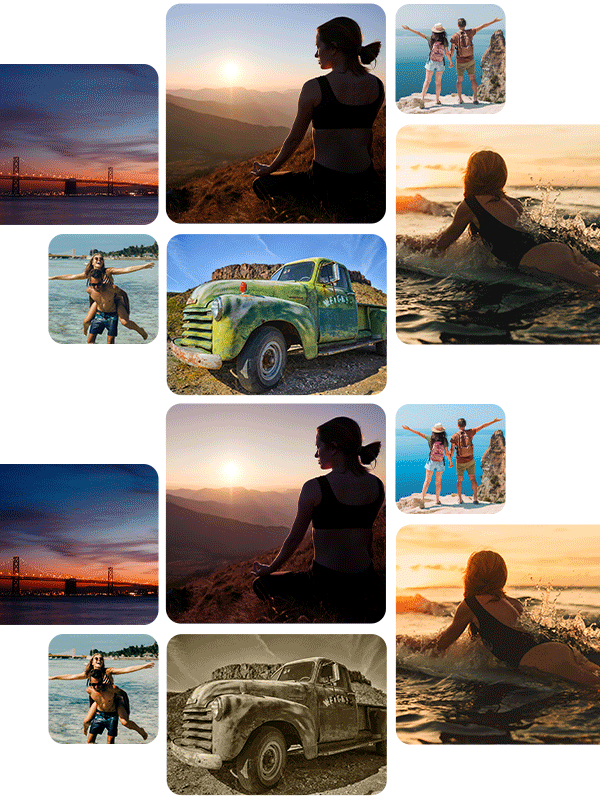
Straighten misaligned shots, fix perspective errors, or apply a whole range of beautiful effects. Minor issues like red eyes, skin imperfections or stains are now easily fixable. Save time and nerves and achieve stunning results almost instantly with Photo Optimizer!

Important basics and creative freedom
Naturally, Ashampoo Photo Optimizer includes all the usual suspects like image cropping, rotating, watermarking, and softening. But it doesn't stop there. Feel free to get creative with artistic effects and elegant frame designs. Whether you're recovering failed shots, cranking up the image quality by another 5% or just having fun, this is the program for you!
The lifesaver for your vacation shots
Visual blemishes are detected and fixed through careful image analysis. Our carefully crafted algorithm fully automatically optimizes colors, contrasts, and exposure times for single shots or entire collections, turning underwhelming shots into brilliant photos!
A matter of perspective!
Taking shots of buildings often leads to unpleasant, and easily noticeable, perspective distortions, due to the position of the photographer. Buildings and other tall objects almost seem to fall over, putting an unintended comical spin on your photos. Other times, you forgot to bring your tripod and failed to keep your camera completely straight. Enter Photo Optimizer's new perspective correction! Fix horizontal or vertical distortions in just a few clicks and save shots that would have otherwise gone straight to the bin. Give your photos a second chance and get the right perspective, always!
More ease-of-use through favorites
We all have our favorite functions that we most frequently rely on. Now, you no longer have to navigate through various menus and categories to reach them. Ashampoo Photo Optimizer features a customizable "Favorites" menu so you can bundle all your favorite functions in a single instantly accessible location. Need to quickly straighten the horizon after auto-optimization, fix the perspective or do some cropping? Now you can. Genius, right?
Enhance white balance and intensify contrast spreads
White balance is pivotal to the color temperature of your images. Digital cameras are particularly prone to the dreaded bluish cast and dull colors. This leads to photos that seem lifeless and completely devoid of the magic of the moment. Low-contrast images, often due to poor lighting, are another common issue. With the help of custom white balance and contrast spread settings, Photo Optimizer can breathe new life into these otherwise ruined shots! Both features are part of auto-optimization and will auto-enable whenever appropriate!
Why do I use Photo Optimizer? I don’t send my private photos to random servers, that’s not an option for me. Photo Optimizer keeps it simple: Pick an image folder, enhance the images, save them, done. No fuss, no endless settings, just a tool that does exactly what it should.

Photo editing in just a few clicks
The user interface in Photo Optimizer is truly self-explanatory. Functions are arranged into intuitively named categories and never more than two clicks away. Where other photo editors have you wade through manuals, Photo Optimizer gives you results instantly! Everything is simple and logical, there's practically no learning curve. Whether you're a beginner or an advanced user, or maybe you just don't want to spend hours with image tweaking, Ashampoo Photo Optimizer is the program for you.
Versatile export features
Good photos deserve to be seen. That's why we're offering various ways in Photo Optimizer to share your photos with others. This includes email, the free Ashampoo Web and even just setting photos as your desktop background image. If you'd rather go the traditional route and print your photos, you'll love the feature-rich print dialog that not only creates high-quality but also space-efficient print outs, if needed.
Features for perfectionists and creatives
Many sophisticated features are available to those seeking to go beyond auto-optimization. Whether you need to sharpen or soften individual portions, Photo Optimizer offers well-designed tools for every use case. Reduce irritating image noise, adjust color temperatures or crop your images. And for the artist in you, we've also included multiple effects like waves, swirls, even implosion and explosion. There's ample room to experiment.
Naturally-looking portrait enhancements
Faces are the focus of many photos, yet they seldom come out perfect! Enhance your portraits automatically or manually with Photo Optimizer. Fix red eyes and whiten teeth for that dazzling smile. Fix minor glitches with the clone tool and remove stains and other impurities like a pro. Create perfect yet naturally looking portraits in just a few clicks!
Comfortable batch processing
Since Ashampoo Photo Optimizer does so much fully automatically, we've included batch processing to save you time and nerves while the program processes your entire photo library in one go. Select individual images from various sources or entire folders and have Photo Optimizer work its magic. Every image is meticulously analyzed and its quality optimized according to its specific characteristics. Batch-process an entire vacation in one go, polish your wedding or birthday shots and put the fun back into photography.
What customers think about Photo Optimizer Pro 26
Only customers who have purchased or registered a specific product can rate that product.
This way you can be certain that all opinions are genuine and verified.
-
Uwe MeretzkiGood program Gutes Programm
The software was easy to install and has been running smoothly so far.
Die Software war leicht zu installieren und läuft, bis jetzt, stabil.
This review has been automatically translated.Helpful? -
Hubert FleissnerGreat Toll
Excellent
Super
This review has been automatically translated.Helpful? -
minvikethe title speaks for its' self
you can do so many editorial effects and is very easy to use and it's a great value just like all Ashampoo software oh!! almost forgot it's great support too Thank You Jerry
Helpful? -
Erwin SchererVery good software Sehr gute Software
For the price, it's very good software, especially since it's installed on your computer and you don't have to be constantly connected to the Internet. I think it's great
Für den Preis ist es eine sehr gute Software , vor allem weil man sie auf dem Computer hat und nicht ständig mit dem Internet verbunden sein muss. Finde ich top
This review has been automatically translated.Helpful? -
Dennis CamblyExcellent New Version
People with family, children and scenery photos will find the program easy to use. You can do an automatic optimize and add many useful filters. No need to spend hours giving the finishing touch to your favourite photos. Pro 26 runs smoothly using very few of your computer resources.
For a Professional - All of the tools are within the program to bring an older or newer photo to life. There is the colour balance feature that will enhance the photo using your own skills to do so. You can find them under the Manipulate and Correction menus. Again a wide assortment of built in filters are available. You can see the difference in one window rather than two.
Importing a single photo or a directory with in my case a thousand photos was fast using my laptop computer. Use the Save As function and set the compression rate for your photos. The Export photo gives you several other opportunities such as set as Wallpaper, Email or save to Ashampoo Web Upload.
Questions - What is the cost for Ashampoo Web Upload?
Why is the website we already upload to not included?
Helpful?

More top products from Ashampoo: No PC should be without them!